Key Takeaways
- Most "framer form not working" reports come down to one of four things: an unconfigured destination, a submit button missing its form-state binding, the form rendering twice, or testing in preview instead of the published site.
- Check destinations first, missing destinations are more common than broken integrations, and it is the easiest cause to confirm.
- Email, Google Sheets, and webhook destinations each fail for different reasons, treat them as three separate checklists, not one.
- The browser console (Network and Console tabs) surfaces 403, 404, and CORS errors that explain a silent failure in seconds.
- Forms Plugin sidesteps two of these failure modes by design, with visible destination status and buttons wired to form state by default.
Overview
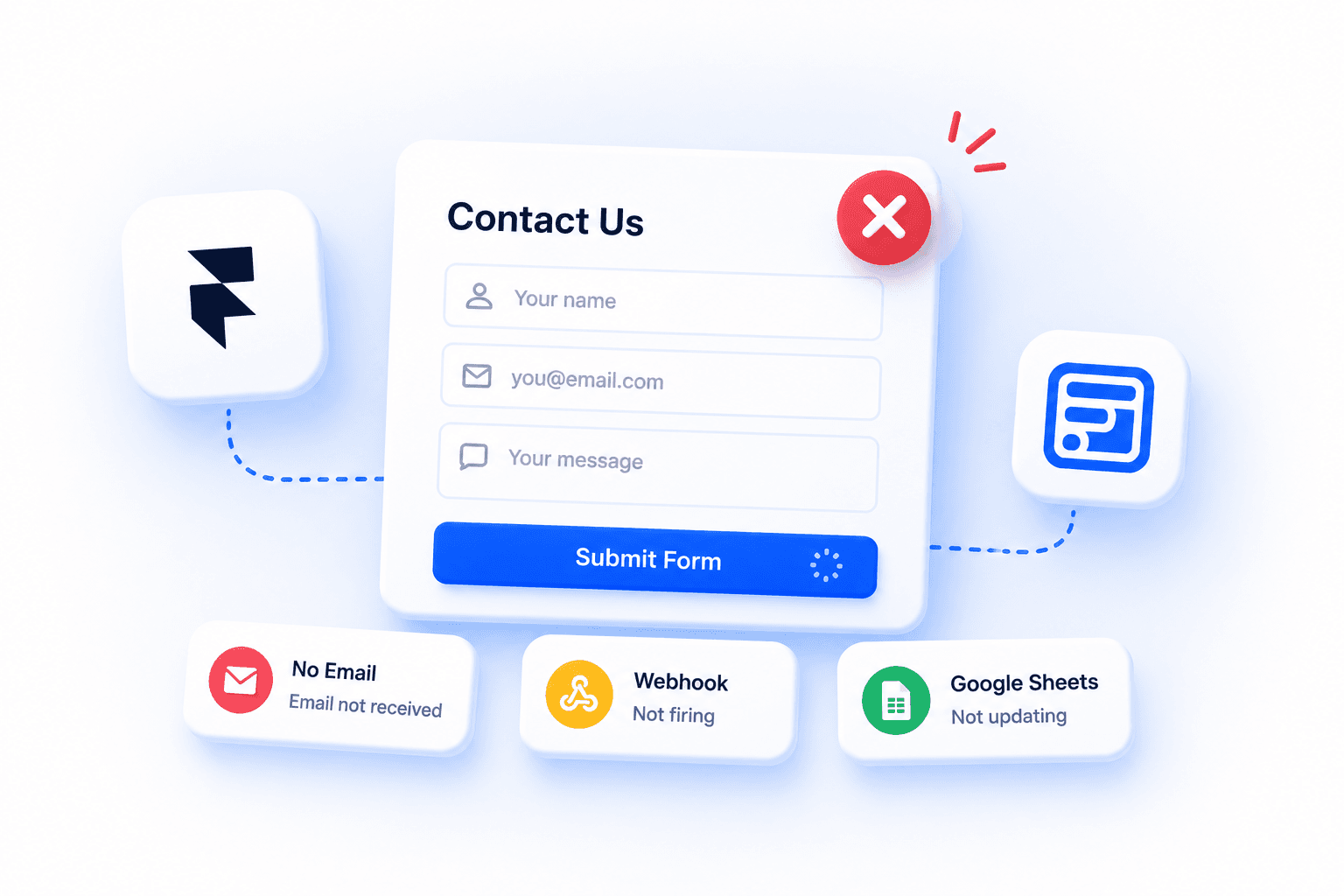
"Framer form not working" usually means one specific thing: a visitor clicks submit, and nothing happens, or something happens but you never see the result. Maybe the form is not submitting at all. Maybe it submits but no email notification ever arrives. Maybe the button just spins. Whatever the exact symptom, the causes are a short, specific list, not a mystery, and Framer even built a dedicated Academy lesson on form status issues because the pattern is so common in Framer's community.
This guide walks through every place a Framer form breaks: destinations, button bindings, duplicate renders, webhooks, Google Sheets, email delivery, mobile-specific quirks, and what to check in your browser's dev tools before you touch a single setting.
What does "Framer form not working" actually mean?
"Not working" covers a lot of different symptoms, and the fix depends on which one you actually have. Before changing anything, pin down exactly what happens when you click submit:
- The submit button does nothing at all, no loading state, no error, no change
- The form loads forever, stuck in a loading spinner that never resolves
- No success message appears, even though the submission may have gone through
- No email notification is received, despite the form appearing to submit successfully
- Google Sheets is not updating with new rows
- The webhook is not firing, and nothing shows up at the receiving endpoint
- Validation errors get stuck on screen and won't clear even with valid input
- CAPTCHA does not load, so the form can't be completed at all
- Everything works in preview but breaks on the published site
Each of these points to a different layer of the problem. A stuck loading state is usually a button-binding issue. A missing email is usually a destination or delivery issue. A form that works in preview but not live is almost always an environment issue, not a configuration one. Match your symptom to the sections below rather than working through every cause in order.
Why is your Framer form not working?
It is almost always one of four things: the form has no destination configured, the submit button is missing a form-state binding, the form is rendering more than once on the page, or you are testing in preview instead of on the published site. Work through these in order, the first two account for most reports.
A fifth, less common cause is a script or CAPTCHA getting blocked outright by an ad blocker or corporate firewall, covered further down. None of these require touching code, they are all things you can check directly in the Framer editor, your form destination's dashboard, or your browser's dev tools.
Is your form's destination actually configured?
Open the form block and check whether it has a destination set: email, Google Sheets, webhook, or a CRM connection. A form with no destination looks completely normal in the editor and in preview, it just quietly has nowhere to send a submission. This is the single most common cause reported in community threads on this exact symptom, and in practice, missing destinations are more common than genuinely broken integrations.
The reason this slips past so many people: nothing in the editor visually flags a missing destination as an error. The form renders, the fields validate, the button is clickable, the only symptom is that submissions never arrive anywhere. If you inherited a project from someone else, or duplicated a page that had a form on it, this is the first thing to check, duplicated forms frequently keep the old layout but lose the destination binding in the copy.
Is your submit button missing its form-state binding?
Some form buttons are not wired to the form's loading, success, and error states by default, so clicking submit does nothing visible even when the submission technically goes through, or the button spins with no resolution ("framer form loading forever"). If your button never shows a loading or success state, check whether it is bound to the form's state variants at all.
This particular failure mode is worth calling out because it looks like a submission problem when it is actually a display problem. The form may well be capturing and sending data correctly behind the scenes, the button just never tells the visitor anything happened, which reads as broken even when it technically isn't ("framer form submit button not working" often means this, not a dead form). If you suspect this, check your actual destination (inbox, sheet, webhook log) for a submission before assuming nothing was sent.
| Native setup | Forms Plugin | |
|---|---|---|
| Button states | Bound manually to Loading, Success, Error variants | Wired to form state by default, no manual binding step |
| Destination status | No visible confirmation, fails silently if misconfigured | Shows a visible connected state per destination |
| Spam protection | Basic background bot detection | CAPTCHA options on every tier, including free |
Is the form rendering more than once on the page?
A form placed inside a CMS Collection List item, a duplicated component instance, or a variant that can render more than once will often submit inconsistently, sometimes to the wrong destination, sometimes not at all. This is a known cause of "forms not submitting" reports that vary by device or session, since which copy of the form actually captures the submission can differ. Check your layers panel for any structure that could be repeating the form invisibly.
CMS-driven pages are the most common place this happens. A form dropped into a Collection List item template renders once per item in the collection, and depending on how the binding was set up, all of those copies can end up pointing at the same destination or, worse, at inconsistent ones. If your form lives on a template page rather than a static one, this is worth checking even if nothing looks obviously wrong, and it's a common way a contact form built on a CMS template quietly breaks for some visitors and not others.
Check your browser console
Before digging deeper into any single destination, open your browser's dev tools (right-click the page, Inspect, or F12) and check two tabs:
- Console tab — look for red errors when you click submit. A JavaScript error here usually means a script failed to run at all.
- Network tab — click submit, then find the request that fired. A status of
403means permission was denied,404means the endpoint doesn't exist, a CORS error means the receiving server is rejecting the request's origin, and a request that never appears at all means the click isn't triggering a submission in the first place.
This one check narrows down whether the problem is on the page (nothing fired) or downstream (something fired but got rejected), which tells you whether to keep debugging in Framer or move to the destination's side.
Are you testing in preview instead of the published site?
Some form behavior, especially anything tied to a third-party script or webhook, only works once the page is actually live. If clicking submit does nothing in the Framer canvas or in preview mode but the layout looks otherwise correct, publish the page and test again before assuming the form is broken. This alone resolves a meaningful share of "my form doesn't work" reports, and in general, testing on the published site before changing any settings saves real debugging time versus chasing a problem that only exists in preview.
This applies just as much to third-party embedded forms as native ones. A form embedded through a script tag often needs the page's real domain and full document context to initialize correctly, something the canvas and even preview mode can't fully replicate. If you're troubleshooting an embedded form specifically, always do your final check on the published URL, not inside Framer.
Why isn't my Framer form's webhook firing?
A webhook destination has more failure points than email or Sheets because it depends on a server you don't control. Work through these in order:
- Wrong URL — a typo, a stray trailing slash, or a copy-pasted staging URL instead of production
- Endpoint offline — the receiving server or serverless function isn't running or has been taken down
- Server returns a 500 — the endpoint is reachable but errors internally when it receives the payload; check the receiving server's logs, not Framer's
- Timeout — the endpoint takes too long to respond and the request gets dropped before it completes
- Auth failure — the endpoint expects a header, token, or signature that Framer's webhook isn't sending, so it rejects the request with a 401 or 403
The Network tab check from above applies directly here: the response status on the webhook request tells you which of these you're dealing with. For the full setup, see our Framer forms guide, which covers the Send To Webhook destination alongside Email and Google Sheets.
Why isn't my Google Sheet receiving submissions?
If email and webhook both work but Sheets doesn't, or nothing does, check these in order:
- Disconnected integration — the Google account connection has expired or was revoked; reconnect it from the form's destination settings
- Wrong spreadsheet — the form is pointed at a different sheet than the one you're checking, easy to miss after duplicating a project
- Deleted worksheet — the specific tab the form writes to was renamed or removed after the connection was made
- Revoked permissions — someone removed Framer's access from the Google account or the shared drive the sheet lives in
The Google Sheets guide walks through the full connection flow if you need to reconnect from scratch, including how the header row and destination binding get set on first connect.
Why isn't my Framer form sending email notifications?
Email is probably the most common destination people set up, and the most common one to appear "broken" when it's actually just misrouted. Since "framer form not sending email" is one of the most common versions of this problem, work through these before assuming the form itself is broken:
- Check your spam folder first — the single most common cause, notification emails from a new sending domain frequently land in spam or promotions before a filter learns to trust them
- Wrong destination address — a typo in the notification email field, or an address that was correct once but changed
- Typos in the visitor's own email field — if you're expecting a reply-to chain and the visitor mistyped their address, your reply bounces even though the original submission worked fine
- Forwarding rules — a mail rule set up on the receiving inbox can silently redirect or archive incoming notification emails before you ever see them
- Provider delays — some email providers batch or throttle delivery, so a submission that worked can still take a few minutes to actually land
If you're building a newsletter-style opt-in specifically rather than a one-off notification, our newsletter signup guide covers double opt-in and deliverability separately, since that flow has its own failure modes around confirmation emails.
Is a script, CAPTCHA, or firewall blocking the form?
Less common, but worth ruling out: an ad blocker, a corporate firewall, or a strict content security policy can silently prevent a form's script from loading at all, especially for embedded third-party forms that depend on an external script tag. The symptom looks identical to a broken form, the field renders, but submitting does nothing, because the script that would have handled the submission never loaded in the first place. This also explains most "can ad blockers stop forms" questions: yes, particularly for CAPTCHA widgets and embedded third-party scripts. Testing from a different network or browser profile, one without extensions or corporate filtering, quickly rules this in or out. If CAPTCHA specifically won't load, see our CAPTCHA and spam protection guide for which options run without a third-party account.
Mobile-specific issues
A form that works fine on desktop can still fail on mobile for reasons that never show up in a resized browser window:
- Keyboard covering the submit button — on smaller screens, the on-screen keyboard can push the button below the visible viewport, so the visitor genuinely can't reach it without scrolling first
- Popup or overlay blocking the submit action — a cookie banner, app-install prompt, or newsletter popup can sit on top of the form and intercept the tap
- Disabled scroll — a fixed-position layout or overlay that disables scroll can trap the visitor above the submit button entirely
Always test the actual flow on a real mobile device, not just a resized desktop browser, before ruling mobile out as a cause.
Quick checklist before you debug anything further
- Confirm the form has a destination set (email, Sheets, webhook, or CRM)
- Confirm the submit button shows a loading or success state when clicked
- Check the layers panel for any structure that could render the form more than once
- Open the browser console and Network tab and check for 403, 404, CORS, or JS errors
- Test on the actual published URL, not the canvas or preview
- Try a different browser or network to rule out a blocked script
- Test the full flow on a real mobile device
A few more things to check
Check whether your submissions are supposed to land in multiple inboxes or a shared team address, misconfigured multi-recipient routing can look identical to a form that silently fails. Confirm the field marked as email is actually typed as an Email field, not plain text, since some destinations validate on type and this is a common source of stuck "framer form validation" errors that won't clear. And if you recently updated a form component, re-check its destination and button bindings, component updates can reset settings that were previously configured by hand.
One more thing worth ruling out: rate limiting. Some destinations cap how many submissions they'll accept from the same source in a short window, mainly as a spam defense. If a form worked fine during testing but then appeared to stop after a burst of real or test submissions, check whether the destination has a rate limit before concluding the form itself is broken.
How Forms Plugin avoids these failures
Two of the four main causes above are structural, not user error, and they show up because of how some form tools are built. Forms Plugin's destinations show a visible connected state rather than failing silently, and its submit buttons come wired to loading, success, and error states by default, no manual binding step to forget. CAPTCHA and spam protection ships on every tier, including the free Basic plan, so a broken form is rarely a spam-filter problem either. Native Mailchimp and other CRM connections run in parallel with your existing Email, Sheets, or webhook destination, so switching to a native integration doesn't mean giving up what already works.
Frequently asked questions
Why won't my form submit?
Almost always a missing destination, a submit button that isn't bound to the form's states, or the form rendering more than once on a CMS or duplicated page. Check the destination first.
Why does it work in preview but not live?
Some form behavior, especially anything tied to a webhook or third-party script, needs the page's real domain and full document context, which preview mode can't fully replicate. Publish and test again on the actual URL.
Why am I not getting email notifications?
Check spam first, then confirm the destination address is correct, that no forwarding rule is redirecting the message, and that you're not just seeing provider delivery delay. See the email troubleshooting section above.
Can ad blockers stop forms from working?
Yes. Ad blockers and strict firewalls can block the script or CAPTCHA widget a form depends on, especially for embedded third-party forms. Test from a browser profile without extensions to rule this out.
Why isn't my webhook firing?
Usually a wrong URL, an offline endpoint, a server error, a timeout, or an auth failure on the receiving end. Check the Network tab for the actual response status.
Can duplicate CMS forms break submissions?
Yes. A form inside a Collection List item renders once per item, and depending on the binding, those copies can submit inconsistently or to the wrong destination. Check the layers panel for repeated form structures.
Getting started
Work through these in order: confirm the destination is actually configured, confirm the submit button is bound to the form's loading and success states, test on the published site rather than preview, check for duplicate forms on CMS or templated pages, and rule out a blocked script with the browser console or a clean browser profile. Most reports resolve at the first or second step.
Forms Plugin covers the structural half of this list by default: visible destination status, buttons wired to form state, and CAPTCHA on every tier. If you're building a new form rather than debugging an existing one, see the pricing page for which tier fits your setup.
Ready to build smarter Framer forms?
Forms Plugin gives you everything covered in this article - natively, inside Framer.
Get Forms Plugin
 Get this Plugin