Conditional Logic for Framer Forms
Show, hide, require, or reset any field based on user answers. Compound AND/OR rules. Works on every field type.
Free on every plan

Conditional Logic makes your Framer forms react to what users type. Configure rules on any field: show it only when something else is true, hide it, make it required, disable it, or reset its value. Combine rules with AND/OR for more complex branching. Set it up directly in Framer's inspector panel. No separate modal. No code. No workaround.
Set Up in
Three Steps
Configured natively in Framer. No code, no external services.
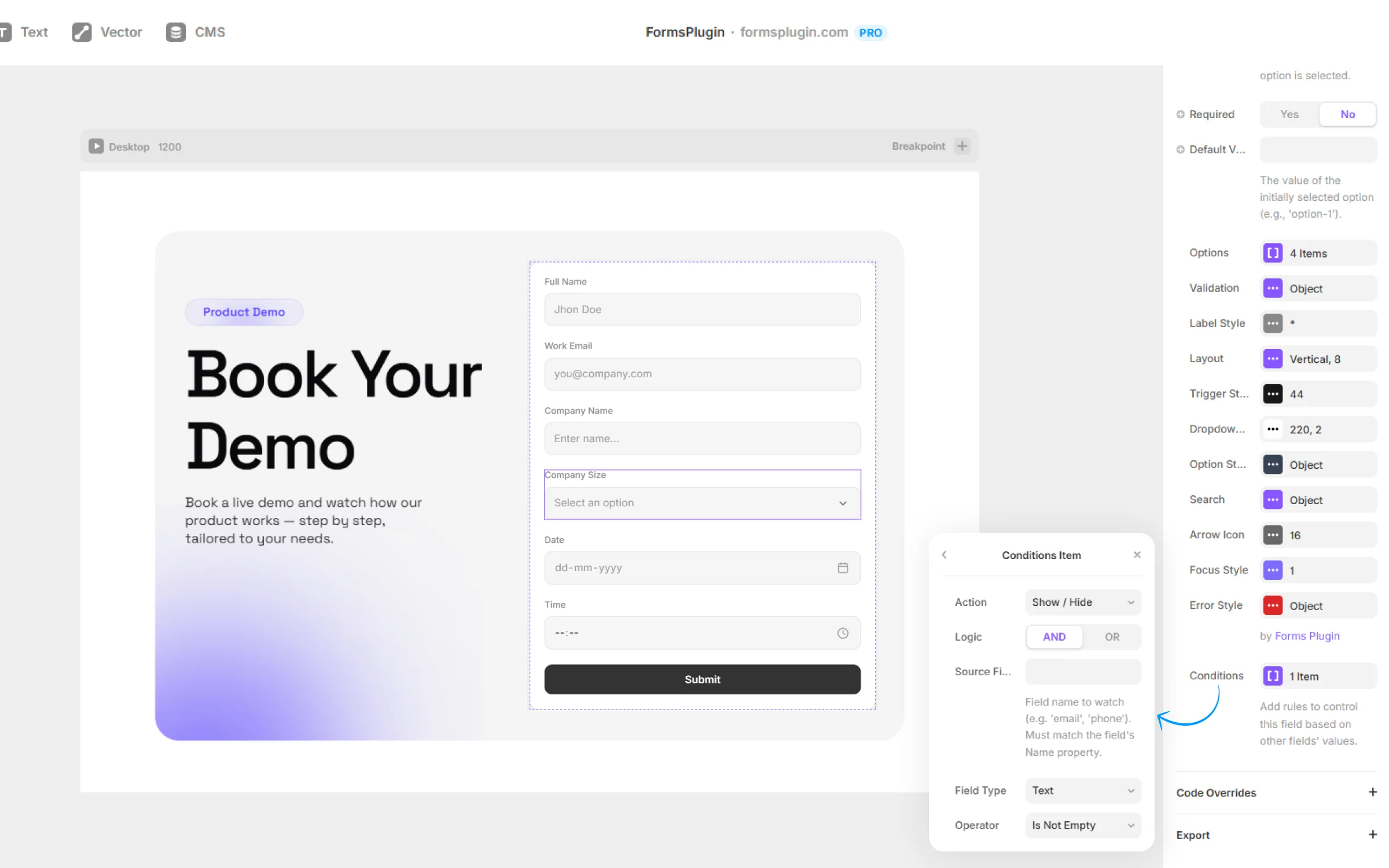
01. Pick a field and open the Logic panel
Select any field in Framer and open the Forms Plugin inspector. Find the Logic section.
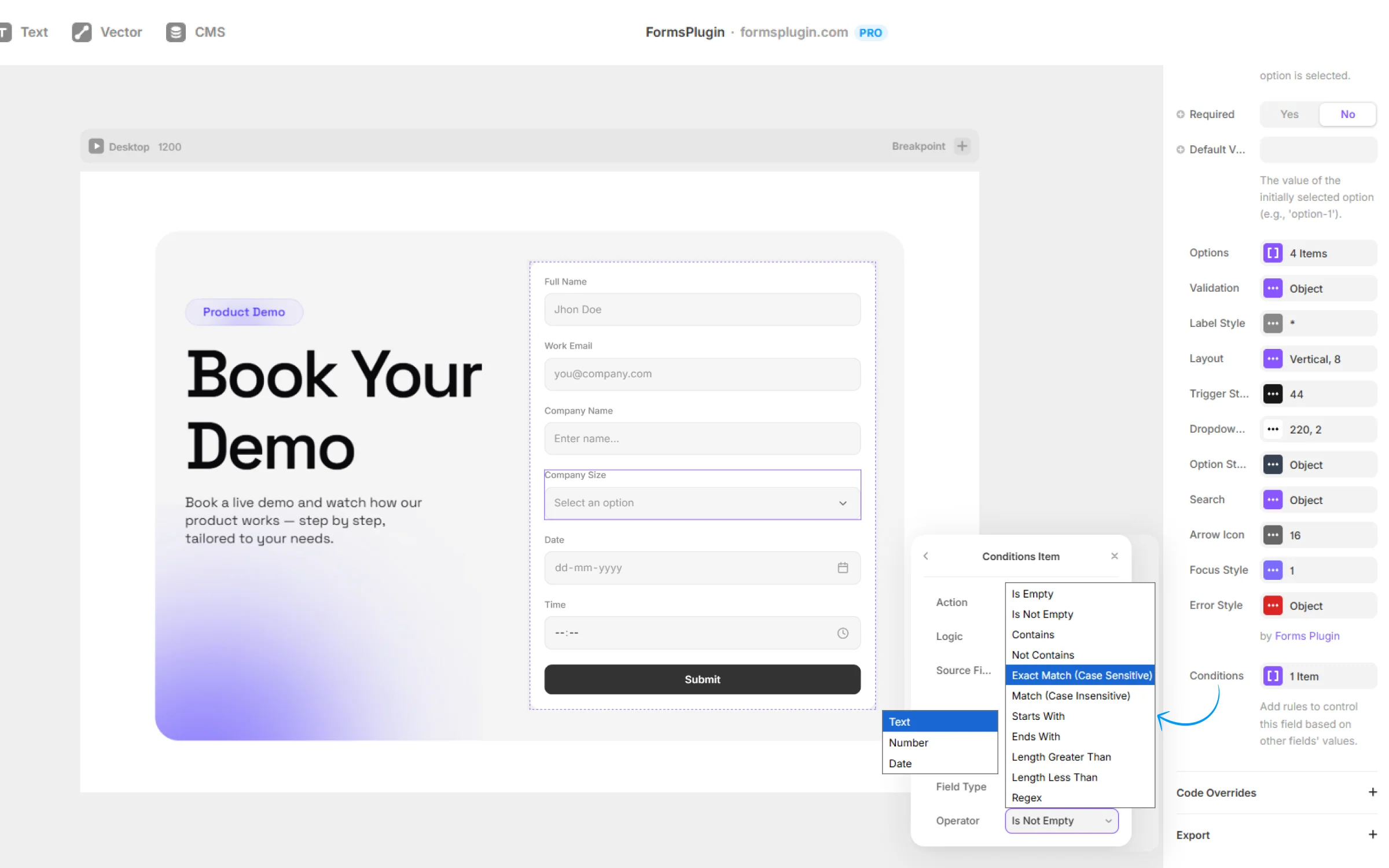
02. Write your rule
Pick a trigger field, choose an operator (equals, is not, contains, is empty), and pick the action: show, hide, require, disable, or reset.
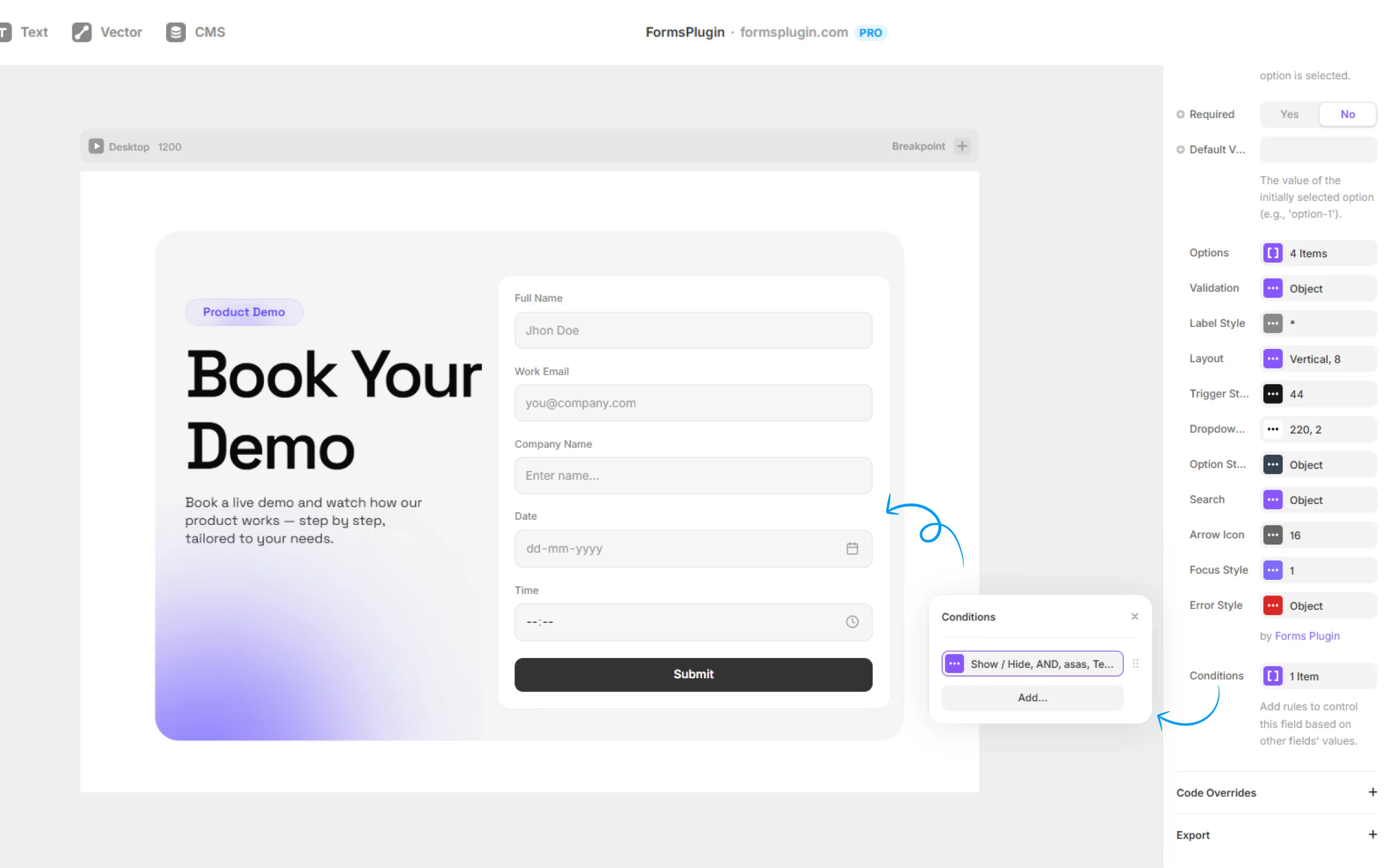
03. Chain rules with AND/OR
Combine multiple triggers for compound logic. Rules work across the whole form and across PageFlow multi-step pages.
Everything You Need,
Nothing You Don't
5 actions
Show, hide, require, disable, reset.
7+ operators
Equals, not equals, contains, doesn't contain, is empty, is not empty, greater than, less than.
AND/OR chaining
Combine multiple conditions for compound rules.
Every field type
Works on all 30+ field types, no exceptions.
Multi-step aware
Works across multi-step forms, including conditional page jumps.
Zero code
Configured in Framer's inspector panel.
Built for Real Work
Real teams, real forms. Here is how people put this to work.
Follow-up questions only when relevant
Show 'What's the project budget?' only when the user said they have a project. Keeps short forms short.
Conditional 'Other' text input
Hide the 'Other (please specify)' text field until the 'Other' option is selected in a dropdown.
Smart validation
Require a phone number only when the user picks 'Call me back'. Otherwise, leave it optional.
Reset on change
Clear dependent fields when a trigger answer changes, so stale data never reaches your CRM.
Questions, Answered
Upgrade Your Native
Forms Without Tools
Build advanced, secure forms directly inside Framer. Add powerful fields, built-in protection, and seamless integrations that scale with your projects.
 Get this Plugin