Key Takeaways
- Framer has no native signature field, people ask about this often enough that it has its own community thread.
- A typed or drawn e-signature is legally binding in most jurisdictions (US ESIGN Act, EU eIDAS, and similar laws elsewhere), as long as intent and consent are captured alongside it, check your own region's requirements.
- An e-signature is not the same as a cryptographic digital signature, most sites collecting client agreements or waivers only need the former.
- Three ways to add one: embed a dedicated e-signature tool, build a custom code component, or use a form plugin's native signature field.
- Capture more than the signature image, name, timestamp, IP address, and a consent checkbox make it defensible later.
Overview
Adding a framer e-signature form is a question that comes up often enough to have its own dedicated thread in Framer's community. The short answer: Framer does not ship a signature field out of the box, so you are choosing between a few different ways to add one.
This guide covers what an e-signature form actually is, how it differs from a digital signature, when you genuinely need one, whether it holds up legally, the three ways to build one on a Framer site, and the mistakes that make a signature record useless later.
What is an e-signature form?
An e-signature form is a form field that captures a person's intent to agree to something electronically, instead of on paper. In practice that's usually a drawn signature (finger or mouse on a canvas) or a typed full name treated as a signature, submitted alongside the rest of a form.
The difference from a handwritten signature isn't the visual mark, it's the record around it. A pen signature on paper is tied to a physical document and a witness or notary in higher-stakes cases. An e-signature is tied to a digital record: who signed, when, from where, and what exactly they agreed to. That surrounding data is what makes it enforceable, not how the signature looks.
E-signatures show up anywhere a physical signature would have been used for a low-to-medium stakes agreement: client contracts, service agreements, event or activity waivers, NDA acknowledgements, internal approvals, and terms-of-service acceptance. High-stakes documents (real estate transfers, wills, some notarized paperwork) often still need more than a basic e-signature, more on that below.
Electronic signature vs digital signature
These two terms get used interchangeably, but they're not the same thing, and it matters for which one your form actually needs.
| Electronic Signature | Digital Signature | |
|---|---|---|
| What it is | A drawn or typed mark representing agreement | A cryptographic proof tied to a certificate |
| Setup | A form field, no certificate authority needed | Requires a certificate and a signing infrastructure |
| Verification | Backed by surrounding record (name, timestamp, consent, IP) | Backed by cryptographic verification of signer identity |
| Typical use | Client agreements, waivers, general consent | High-security documents, regulated or notarized paperwork |
| Good fit for a Framer form | Yes, this is what a signature field on a site form does | No, needs a dedicated certificate-based signing platform |
For nearly everything a small business or agency site collects, an electronic signature is the right tool. Digital signatures matter when a document needs cryptographic, third-party-verifiable proof of signer identity, which is a different problem than a website form is built to solve.
When do you actually need an e-signature?
Not every form needs one, adding a signature field to something that doesn't require it just adds friction. It's worth it when you're collecting:
- Client agreements — scope of work, service terms, or project agreements before work begins
- Service contracts — freelance or agency contracts that need a documented "I agree"
- Event waivers — liability waivers for activities, photography releases, participation consent
- NDA acknowledgements — confirming someone has read and agreed to a non-disclosure agreement
- Terms acceptance — a stronger form of consent than a plain checkbox, when the terms matter
- Project approvals — internal or client-facing sign-off before moving to the next phase
If you're just collecting a name and an email for a newsletter, you don't need this, see the newsletter signup guide for that instead. A signature field is for the moment someone needs to affirmatively agree to something specific, not for routine data collection.
Is an e-signature legally binding?
In the US, a typed or drawn electronic signature is legally binding under the ESIGN Act, which has treated electronic signatures as enforceable since 2000. The requirement isn't the visual style of the signature itself, a scribbled canvas drawing and a typed full name can carry equal legal weight. What matters is that the signer showed clear intent to sign and consented to doing so electronically, and that the record is retained afterward in a form that reflects the original.
Laws vary by jurisdiction, though the underlying principle is similar in most places. The EU and UK operate under eIDAS, which recognizes electronic signatures but distinguishes between basic, advanced, and qualified levels, only the higher tiers require certificate-based verification. Other countries have their own equivalent frameworks. If you have signers outside the US, don't assume ESIGN Act coverage applies, check what your own region and your signers' region actually require.
This is general information, not legal advice. If you're collecting signatures for contracts with real financial or legal weight, have someone who actually practices law confirm your specific use case meets your jurisdiction's requirements. Common exceptions across most frameworks: wills, family law matters like divorce or adoption, and certain real estate or notarized documents aren't covered the same way a standard client agreement or waiver is, so don't assume every document type qualifies automatically.
Who is asking for this matters too. A freelancer collecting a signed project agreement has very different requirements than an agency handling healthcare intake forms or financial disclosures, the more regulated the document, the more the underlying audit trail matters relative to how the signature itself looks.
Three ways to build a Framer e-signature form
Embed a dedicated e-signature tool. Services built specifically for document signing usually provide an embeddable widget or hosted signing link. Framer supports embedding third-party components generally, the same mechanism used for embedding other external forms. This is the fastest route if you need audit trails, identity verification, or multi-party signing, features a canvas-drawn signature alone won't give you.
Build a custom code component. A canvas element that captures mouse or touch strokes and converts them to an image or vector path is a well-understood pattern, several open-source signature-pad libraries exist for exactly this. You would still need to wire the captured signature data into your form's submission payload alongside the rest of the fields, and route it to a webhook or storage destination yourself, see our Framer forms guide for webhook setup.
Use a form plugin with a native signature field. Forms Plugin includes a native e-signature field as one of its advanced field types, no embed code and no custom component required. The signature lives in the same submission as every other field, which simplifies routing it to your storage destination alongside the rest of the data.
Which method should you actually use?
It comes down to what the signature is for. A dedicated e-signature vendor makes sense for multi-party contracts, anything needing identity verification, or documents that get referenced in disputes later, the audit trail and legal infrastructure behind a purpose-built tool is hard to replicate yourself. The tradeoff is cost and complexity: you're managing a separate vendor relationship and usually paying per document or per month.
A custom code component gives you full control over the look and feel, and no per-document cost, but you own the maintenance, and you still need somewhere to store the resulting signature data securely.
A native signature field inside your form plugin sits in the middle: no separate vendor, no custom code to maintain, and the signature travels with the rest of the submission to wherever you're already routing form data. For straightforward use cases, client waivers, project agreements, simple consent forms, this is usually the least overhead of the three.
In practice, a native signature field is sufficient for most small business and agency sites, the documents being signed are client agreements and waivers, not instruments that need cryptographic proof. Dedicated e-signature platforms tend to earn their cost mainly when identity verification or multi-party signing is actually a requirement, not just a nice-to-have.
What should a signature field actually capture?
The signature image alone is the weakest part of the record, anyone can draw a squiggle. What actually supports enforceability later is the surrounding context. A defensible signature record should capture:
- The signature itself — drawn or typed
- Printed name — the signer's full name, typed separately from the signature mark
- Date and time — when the signature was captured
- IP address — logged at submission, not shown to the signer
- Consent checkbox — an explicit, affirmative agreement to sign electronically, not implied by clicking submit
- Email address — ties the signature to a verifiable identity
- Document version — which version of the agreement or terms was shown at the time of signing
- Server-side timestamp — logged by your backend or webhook receiver, not just the client's clock, which can be wrong or manipulated
None of this needs to be visible to the signer, it just needs to exist in your records if the signature is ever questioned later. A simple consent line works well as a checkbox or a short sentence placed directly above the signature field itself, something like "By signing below, I agree to the terms above and confirm this electronic signature carries the same weight as a handwritten one." The exact wording should match what you're actually asking the signer to agree to, generic boilerplate is better than nothing, but specific wording holds up better.
Common mistakes
These are the gaps that turn a signature field into a record nobody can actually rely on later:
- Saving only the image — a signature drawing with no name, date, or context attached proves very little on its own
- Not recording consent — no explicit "I agree to sign electronically" step, just an implied agreement from clicking submit
- No timestamp — or worse, only a client-side timestamp that's trivial to spoof
- No signer name — a signature image with nothing tying it to a specific, identifiable person
- Using it where identity verification is actually required — a basic signature field isn't a substitute for notarization or ID verification when the document genuinely needs it
- Forgetting mobile testing — a signature pad that only works well with a mouse will frustrate the majority of signers who are on a phone
- Insecure storage — signature data sitting in a spreadsheet or inbox with no access control, when it should be treated like any other sensitive personal data
Testing checklist before launch
Before putting a signature field live, walk through the full flow yourself:
- Draw a signature and confirm it renders correctly
- Clear the signature and redraw it
- Submit the form and confirm no errors
- Verify the submission actually stored the signature (not just a blank or broken image)
- Test touch input specifically on a real mobile device, not just a resized browser window
- Confirm a webhook destination, if you're using one, includes the signature data in the payload
- Confirm the email notification, if configured, actually arrives and reflects the submission
If any of these fail silently, you won't find out until someone asks where their signed agreement went. This is the same category of failure covered in the form troubleshooting guide, test the full path end to end, not just that the field visually works in the editor.
Accessibility and security notes
A signature pad should work with both touch and mouse input by default, most canvas-based signature libraries handle this natively. For visitors who can't or don't want to use a drawn signature, offer a keyboard-accessible alternative, a typed full name treated as the signature is a valid fallback and should always be available, not just a nice-to-have. On mobile, make sure the signature drawing area is large enough to actually sign in, a cramped canvas the size of a text input is unusable with a finger.
On the storage side, treat signature data as sensitive: store it securely, restrict who on your team can access raw submissions, encrypt sensitive fields where your storage destination supports it, and retain records only as long as your own data policy calls for. A signature tied to a name, email, and IP address is personal data, handle it with the same care as any other PII your forms collect.
Common uses on Framer sites
Agencies use this most for client project agreements and scope sign-off before work begins, freelancers use it for simple service contracts, and some sites use it for waivers ahead of an event or service, a photography release, a liability waiver, an intake form for a service business. In all three cases the pattern is the same: a short document or summary, a signature field, and a consent statement, not a full contract-management workflow.
What it's usually not a good fit for: high-volume transactional signing (leases across dozens of tenants, employee onboarding at scale) or anything requiring identity verification beyond "this person had access to this browser session." Those cases are exactly where a dedicated e-signature vendor earns its cost, the verification and audit infrastructure is the product, not an afterthought.
Frequently asked questions
Does Framer have a signature field?
No, not natively. Framer's form system covers standard fields like text, email, and file uploads, but signature capture requires an embed, a custom code component, or a form plugin that adds it as a field type.
Are e-signatures legally valid?
Yes, in most jurisdictions, under laws like the US ESIGN Act or the EU's eIDAS regulation, provided the signer's intent and consent are properly captured and recorded. Requirements vary by region and document type, check your own jurisdiction for anything with real legal weight.
Can I collect e-signatures without writing code?
Yes. A form plugin with a native signature field, or an embeddable third-party e-signature tool, both work without building a custom component yourself.
What's the difference between an e-signature and a digital signature?
An e-signature is a drawn or typed mark backed by a surrounding consent record. A digital signature is a cryptographic proof tied to a certificate, used for higher-security or regulated documents. See the comparison table above.
Can signatures be sent to a webhook?
Yes, a signature field's data can be included in a form's webhook payload the same way any other field is, see the Framer forms guide for webhook setup.
Can signatures be stored in Google Sheets?
Yes, if your signature field's data is included in the form submission, it can route to a Google Sheets destination the same way, see the Google Sheets guide for the connection flow.
Do signature fields work on mobile?
They should, a well-built signature pad supports touch input directly. Always test on a real device before launch, this is one of the most common gaps, see the testing checklist above.
Building this in Forms Plugin
Where this lands, in practice: if you need a legal audit trail, identity verification, or multi-party signing, use a dedicated e-signature platform, that's what its infrastructure is built for. If you want full control over look and feel and don't mind owning the maintenance, build a custom code component. If you just need a signature on a form on your Framer site, without a separate vendor or custom code, a native field in your form plugin is the least overhead of the three.
Forms Plugin's e-signature field drops straight into a form block alongside your other fields, styled to match the rest of your site instead of sitting inside an iframe. Pair it with a consent checkbox field and route the submission to email, a spreadsheet, or your CRM the same way you would any other contact form on your site, with the same validation behavior as your other fields.
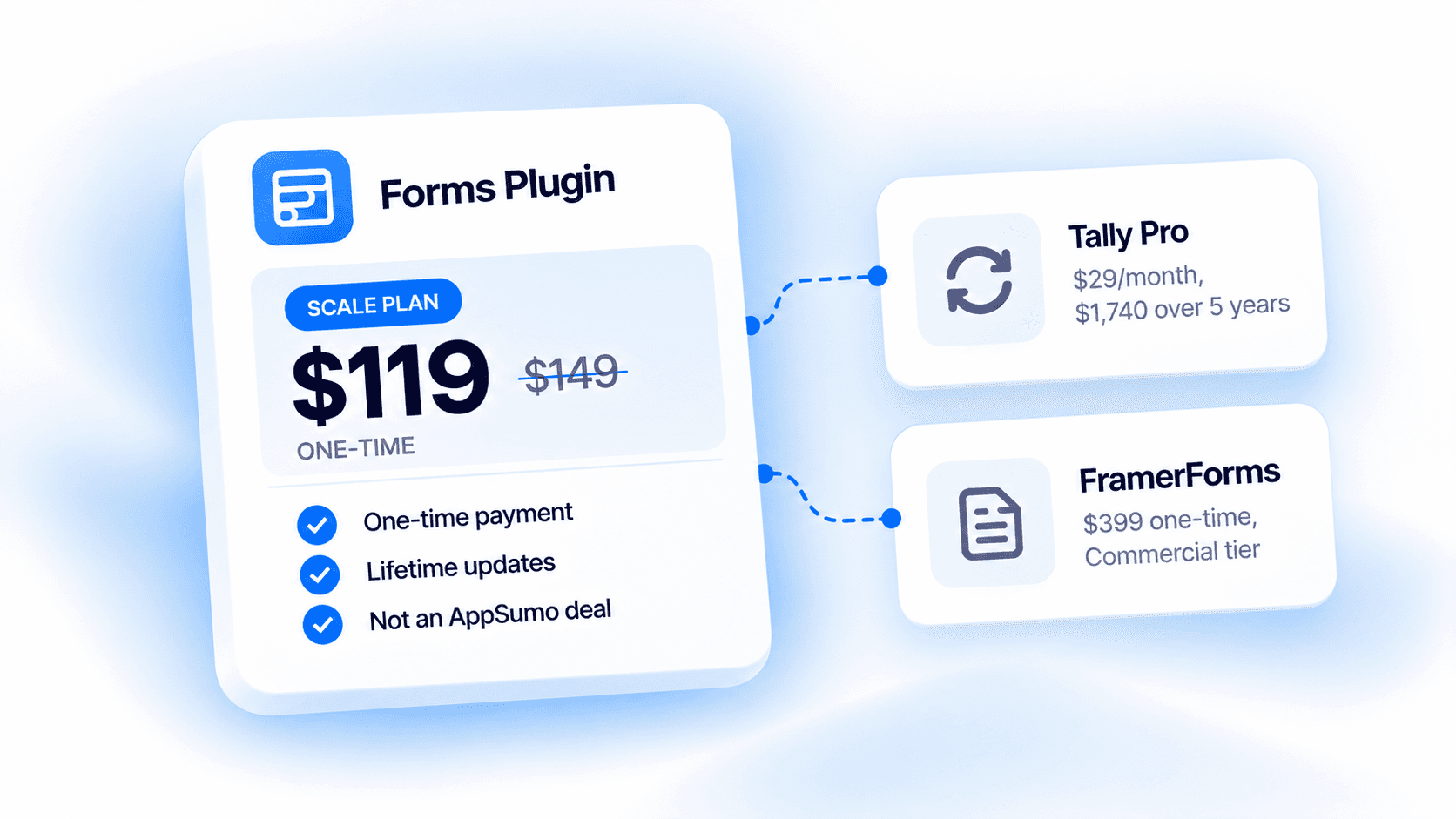
Check the pricing page for which plan includes advanced field types like this one. Since this is a lower-volume field, most sites only need it on one or two specific pages, a client onboarding form or a waiver page, rather than across every form on the site.
Ready to build smarter Framer forms?
Forms Plugin gives you everything covered in this article - natively, inside Framer.
Get Forms Plugin
 Get this Plugin