Key Takeaways
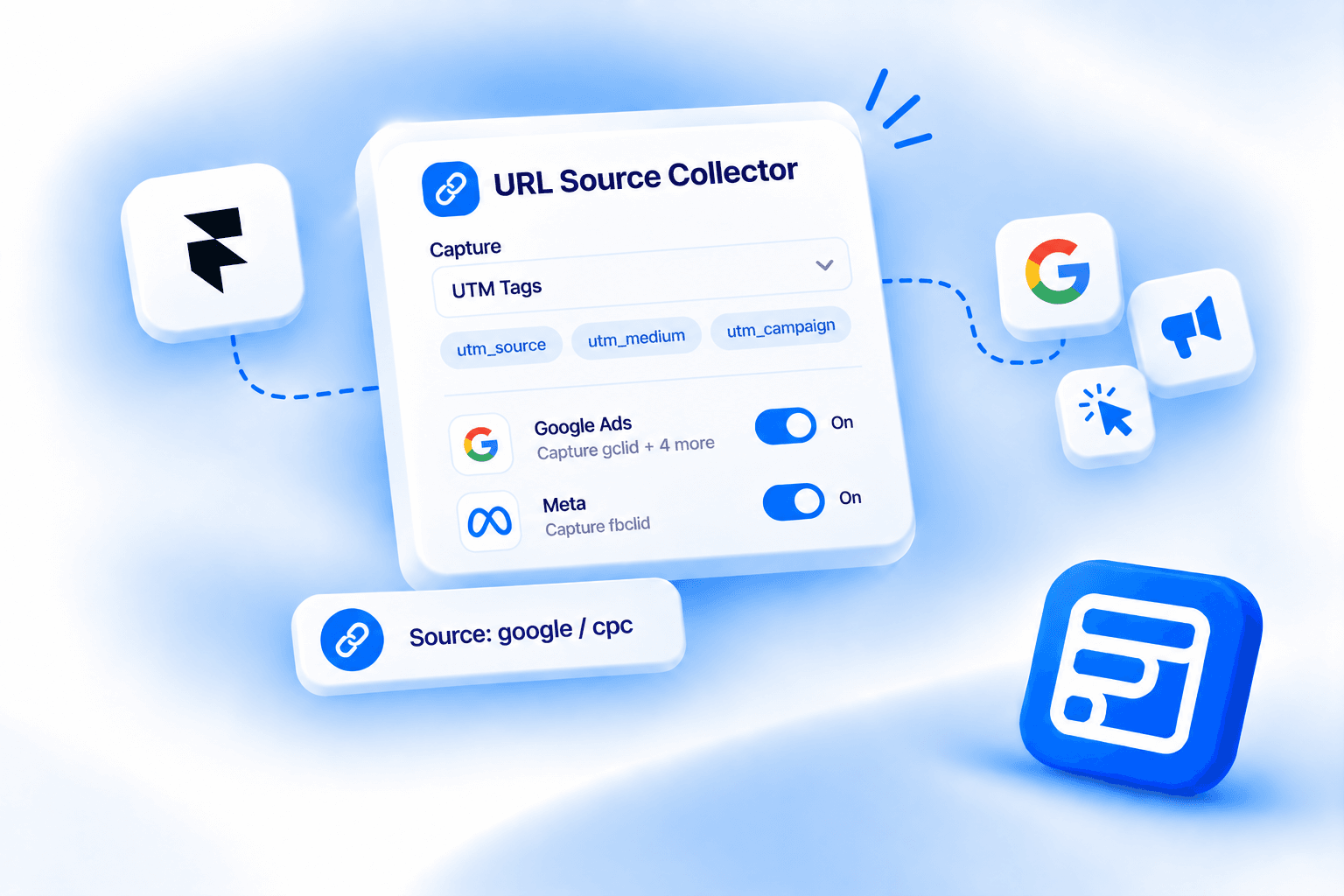
- The field has 5 capture modes, UTM Tags, Current URL, Referrer URL, URL Parameter, and Custom Value, set from a single Capture dropdown.
- UTM Tags mode also captures ad-platform click IDs for Google Ads, Meta, Microsoft Ads, LinkedIn, TikTok, and X, real paid-ads attribution the marketing page doesn't detail.
- Fallback and First-Touch settings apply across most modes, First-Touch persists the value captured on a visitor's first visit across internal navigation and return visits.
- The field goes by three names depending on where you look: URL Source Tracker on the marketing page, URL Source Collector in the Advanced Fields panel, and Source Tracker as the canvas layer name.
- It's available on the Pro and Scale plans, not on Basic.
Overview
On the marketing page, Forms Plugin's URL Source Tracker looks like one thing: a hidden field that auto-grabs 5 UTM parameters plus a referrer and a landing URL, 7 data points, zero setup. That's true, but it's the simplified version.
The real component goes by two names: URL Source Collector in the plugin's Advanced Fields panel, and URL Source Tracker on the marketing page. It's a configurable field with 5 distinct capture modes and built-in ad-platform click ID tracking that isn't detailed on the marketing page. This covers the full mode system, what each setting does, and the paid-ads attribution capability most people miss.
Quick Answer
- The field has 5 capture modes: UTM Tags, Current URL, Referrer URL, URL Parameter, and Custom Value, set from a Capture dropdown.
- UTM Tags mode also captures ad-platform click IDs (Google Ads, Meta, Microsoft Ads, LinkedIn, TikTok, X) through individual on/off toggles, real paid-ads attribution the marketing page doesn't describe.
- Fallback and First-Touch settings apply across most modes, First-Touch persists the value captured on a visitor's first visit across internal navigation and return visits.
- On canvas it's labeled Source Tracker, in the Advanced Fields panel it's URL Source Collector, both names refer to the same field.
- It's available on the Pro and Scale plans, not on Basic.
What is the URL Source Tracker?
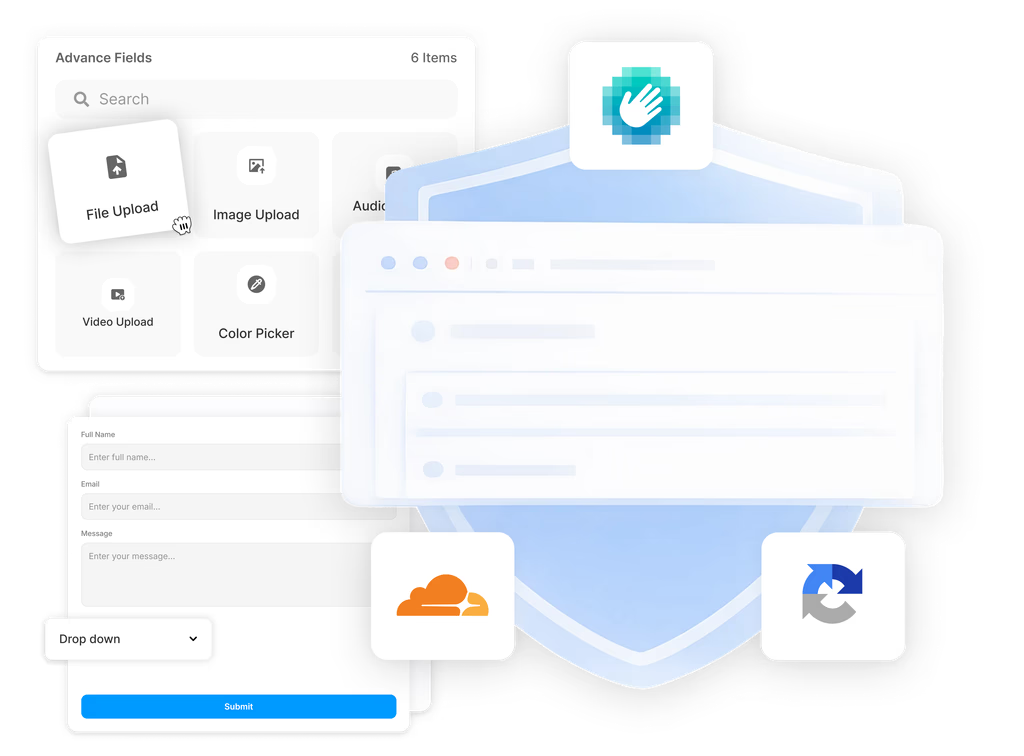
It's one of 14 Advanced Fields in Forms Plugin, alongside File Upload, Phone Number, Country, Image Upload, Range Slider, Color Picker, Button Option, Rating, Promoter Score (NPS), E-Signature, Voice Recording, Audio Upload, and Video Upload. Drop it into a form and it collects attribution data without showing the visitor anything.
The naming is inconsistent on purpose, not a bug. The Advanced Fields panel lists it as URL Source Collector. Once it's on the canvas, the layer name reads Source Tracker. The feature page brands the whole thing URL Source Tracker. All three point at the same field, so don't be thrown by seeing a different label depending on where you're looking.
What are the 5 capture modes in the URL Source Tracker?
A single Capture dropdown switches the field between 5 modes, and each one collects a different kind of data. This is the part the marketing page compresses into "UTM parameters, referrer, and landing URL," and it undersells what's actually configurable.
| Mode | What it captures | Settings |
|---|---|---|
| UTM Tags | All 5 standard UTM parameters, each as its own field, plus optional ad-platform click IDs | Click ID toggles, Fallback, First-Touch |
| Current URL | The full URL of the page where the visitor submitted the form | Field Name (default source), Fallback, First-Touch |
| Referrer URL | The external page the visitor arrived from, based on document.referrer | Field Name, Fallback, First-Touch |
| URL Parameter | One named query-string parameter you specify, like promo or ref | Field Name, Parameter, Fallback |
| Custom Value | A static string you set manually, not derived from the URL at all | Field Name, Value |
UTM Tags is the default and the mode the marketing page describes, so it's the one most people see first and assume is the whole feature. Current URL, Referrer URL, and URL Parameter each have their own Field Name setting, following the same HTML name-attribute convention as every other field in Forms Plugin, which is how the captured value shows up in your CRM or email notification.
Custom Value doesn't read the URL at all. It's for tagging which page or placement a specific form instance lives on, the panel's own example is something like "Homepage Hero," useful when you've got the same form embedded in multiple places and want to know which one converted.
Why do the ad-platform click ID toggles matter?
Because they're real paid-ads attribution, and the marketing page doesn't detail them. Inside UTM Tags mode, six toggles turn on click ID capture for specific ad platforms: Google Ads (gclid, gad_source, gbraid, wbraid, dclid), Meta (fbclid), Microsoft Ads (msclkid), LinkedIn (li_fat_id), TikTok (ttclid), and X, formerly Twitter (twclid).
A click ID is a unique token an ad platform appends to your landing page URL the moment someone clicks a specific ad, letting that platform match a later conversion back to that exact click, even after cookies expire or a session ends. UTM parameters tell you the channel and campaign in general terms. A click ID identifies the individual click.
Google Ads alone ships 5 of them because the identifier changed shape after Apple's App Tracking Transparency rollout. gclid is the original. gbraid and wbraid were introduced afterward to keep attribution working on iOS, gbraid for a web ad click that lands in an app, wbraid for an in-app ad click that lands on a website. gad_source and dclid cover other Google ad surfaces. Meta, Microsoft, LinkedIn, TikTok, and X each maintain their own single click ID with the same job.
None of this is optional plumbing you'd otherwise build with a developer or a tag manager. It's a toggle in the field's settings panel. If you're running paid campaigns across more than one ad platform and want to know which specific ad drove a lead, not just which platform, this is the reason to use UTM Tags mode over rolling your own hidden fields.
What does First-Touch do?
It decides whether the captured value freezes on a visitor's first page load or refreshes every time. First-Touch is a Yes/No toggle available on UTM Tags, Current URL, and Referrer URL modes. Set to Yes, the field remembers whatever it captured on the visitor's first visit and keeps submitting that value even after they click around your site, refresh, or come back later. Set to No, it captures fresh values on every page load, reflecting only the page the visitor happened to be on when they hit submit.
This matters because attribution breaks the moment a visitor doesn't submit your form on the same page they landed on. Someone clicks a Google ad, lands on your homepage, browses to a contact page, and fills out the form there. Without First-Touch, Referrer URL or Current URL mode would only ever see that contact page, and the actual entry point is lost. Typeform's docs on capturing UTM data run into the same limitation: it only reads parameters present on the page the form itself is embedded on, so multi-page journeys need a workaround.
Here's the nuance worth flagging. The marketing page's "7 data points" claim (5 UTMs, referrer, landing URL) treats landing URL as its own separate thing the field just gives you. The docs describe the 5 modes above but don't name a distinct "landing URL" mode anywhere. The closest real mechanism is Current URL mode with First-Touch set to Yes, which would capture the first page a visitor landed on and hold that value through the rest of their session, functionally a landing URL. We couldn't confirm that specific pairing is exactly how the marketing page's claim is built from the docs alone, so treat the "landing URL" language on the feature page as a simplified description of the mode system, not a sixth, separate capture mode.
How does the captured data reach your CRM?
Every field this component captures, whether it's a UTM parameter, a click ID, or a Custom Value string, gets its own field name and submits with the rest of the form. From there it flows into all 10+ CRM integrations (HubSpot, Brevo, Mailchimp, Klaviyo, ActiveCampaign, and more) as a custom field, the same way any other form answer does. Set up a mapping once in your CRM integration and attribution data shows up on the lead record automatically.
That data flow supports the use cases the marketing page does get right:
- Campaign attribution. See which specific ad, email, or social post actually drove a lead, down to the click ID if you're running paid ads.
- Referrer tracking. Know which partner site or social platform sent a submission, even when there's no UTM tagging on the link at all.
- Landing page segmentation. Compare which pages produce leads that convert, not just which pages get traffic.
- Paid vs organic routing. Send paid leads into a different webhook or CRM pipeline than organic ones, using the captured source as the trigger.
What plan do you need?
Pro or Scale. The URL Source Tracker's own FAQ states it's available on Pro and Scale plans, not Basic. Current pricing is one-time and lifetime: Pro at $99, Scale at $119. Both plans include the field, so the choice between them comes down to how many sites you're running and whether you need the commercial license, not whether you get attribution tracking at all.
Frequently asked questions
Is URL Source Tracker the same thing as URL Source Collector?
Yes. URL Source Tracker is the marketing name. URL Source Collector is the name in the Advanced Fields panel. On the canvas the layer reads Source Tracker. Same field, three labels depending on where you're looking.
Do I need to turn on every ad-platform click ID toggle?
No. Each of the 6 toggles (Google Ads, Meta, Microsoft Ads, LinkedIn, TikTok, X) is independent. Turn on whichever platforms you actually run ads on and leave the rest off.
What happens if there's no UTM data or referrer to capture?
The Fallback setting handles it. Set a Fallback value like "direct" and that's what submits instead of an empty field, useful for distinguishing direct traffic from a broken capture.
Can I use more than one capture mode on the same form?
Yes, by adding multiple URL Source Tracker fields, one per mode. A form could run UTM Tags for ad attribution and a separate Custom Value field tagging which page the form instance lives on.
Is this different from a URL Parameter field that just reads one query string value?
URL Parameter is one of the 5 modes inside this same field, for reading a single named parameter like promo or ref. UTM Tags mode is broader: it reads all 5 standard UTM parameters plus click IDs automatically, without you naming each one.
Bottom line
The marketing page's "7 data points, zero setup" pitch undersells the URL Source Tracker. Underneath it is a 5-mode field, UTM Tags, Current URL, Referrer URL, URL Parameter, and Custom Value, with Fallback and First-Touch controlling how each one behaves across a visitor's session. The ad-platform click ID toggles inside UTM Tags mode are the real find: genuine paid-ads attribution down to the individual click, available on Pro and Scale with no third-party tagging script required.
Ready to build smarter Framer forms?
Forms Plugin gives you everything covered in this article - natively, inside Framer.
Get Forms Plugin
 Get this Plugin