Key Takeaways
- Framer's native form has built-in spam protection and rate limiting, but no dedicated CAPTCHA field.
- Forms Plugin offers 5 CAPTCHA field types: Math, Number, Cloudflare Turnstile, hCaptcha, and Google reCAPTCHA.
- Math and Number need no third-party account, Turnstile and hCaptcha prioritize privacy and low friction, reCAPTCHA is Google's industry-standard option.
- The dedicated CAPTCHA field types are bundled together as the full suite on the Scale plan.
- Pick based on what you're actually optimizing for: zero setup, privacy, or battle-tested reliability.
Overview
Spam submissions are the most common reason a Framer form owner starts researching CAPTCHA in the first place, usually after finding a hundred junk leads in an inbox that used to be quiet. Here's what Framer's native form already protects against, and how the 5 dedicated CAPTCHA options in Forms Plugin actually differ.
Quick Answer
- Framer's native form has built-in spam protection and rate limiting, but no dedicated CAPTCHA field.
- Forms Plugin offers 5 CAPTCHA field types: Math, Number, Cloudflare Turnstile, hCaptcha, and Google reCAPTCHA.
- Math and Number need no third-party account, Turnstile and hCaptcha prioritize privacy and low friction, reCAPTCHA is Google's industry-standard option.
- The dedicated CAPTCHA field types are bundled together as the full suite on the Scale plan.
- Pick based on what you're actually optimizing for: zero setup, privacy, or battle-tested reliability.
Does Framer's native form have CAPTCHA or spam protection?
Yes, partially. Framer's native form component includes built-in spam protection and rate limiting out of the box, which catches a meaningful share of automated bot traffic without any extra setup. What it doesn't include is a dedicated, visible CAPTCHA field, the kind that presents a math problem, a checkbox, or an invisible challenge before letting a submission through.
For a low-traffic form, native rate limiting alone is often enough. It's once a form starts attracting targeted spam, an obvious pattern of junk submissions rather than occasional noise, that a dedicated CAPTCHA field starts earning its place.
What are the 5 CAPTCHA options for a Framer form?
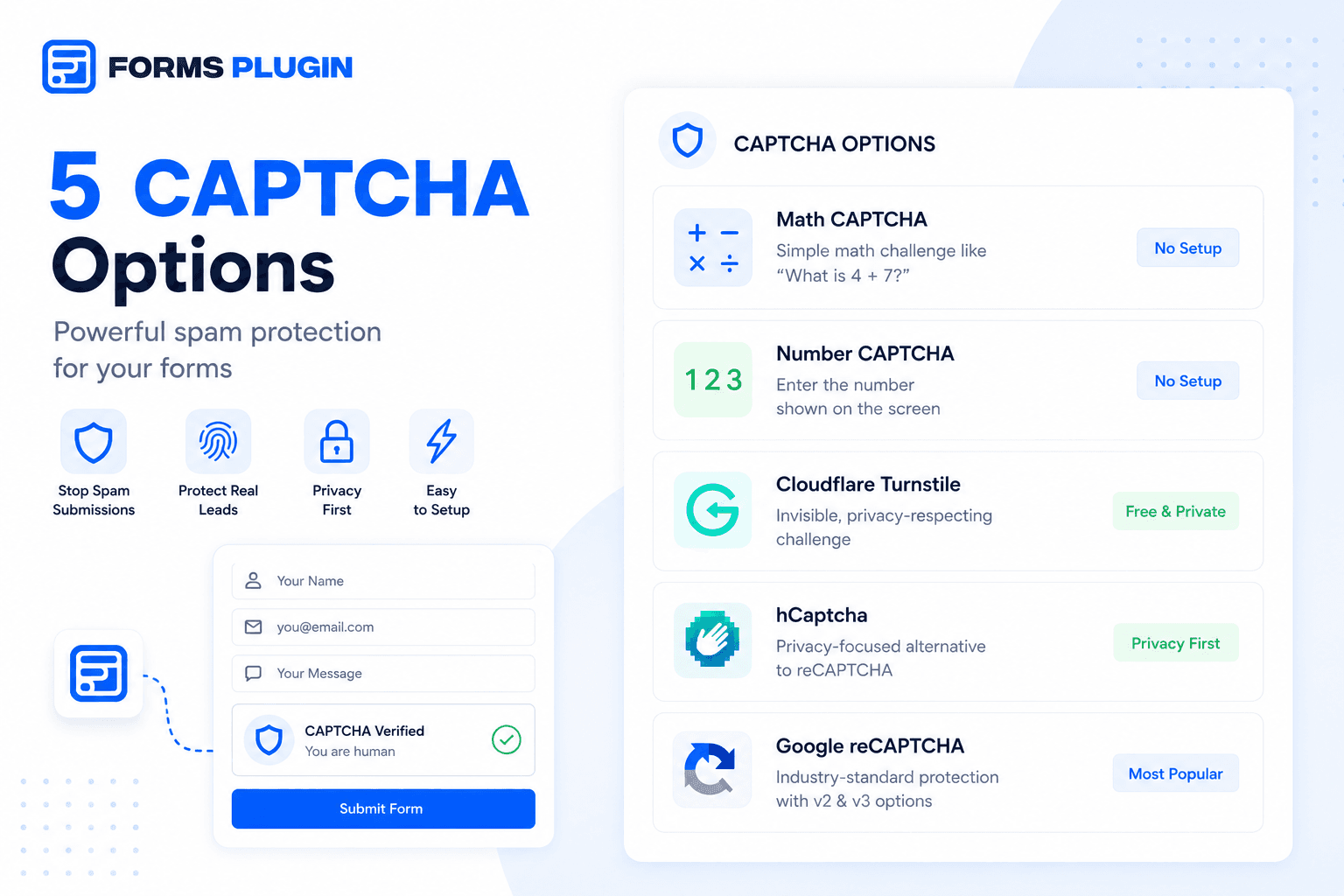
Forms Plugin bundles five distinct CAPTCHA field types:
- Math CAPTCHA, a simple arithmetic challenge like "what is 4 + 7".
- Number CAPTCHA, where a visitor enters a displayed number sequence.
- Cloudflare Turnstile, a privacy-respecting option that runs in the background with minimal friction.
- hCaptcha, a privacy-focused alternative positioned against sending data to Google.
- Google reCAPTCHA, supporting both the v2 checkbox and invisible, risk-scored variants.
Each one solves the same basic problem, proving a submission came from a person, but they trade off differently on setup effort, privacy, and how visible the challenge is to a real visitor.
| Type | Setup required | Privacy | Best for |
|---|---|---|---|
| Math CAPTCHA | None, no third-party account | No data leaves your form | Zero-setup, low-effort spam |
| Number CAPTCHA | None, no third-party account | No data leaves your form | Zero-setup, low-effort spam |
| Cloudflare Turnstile | Free third-party account | Privacy-respecting, runs in background | Low-friction, privacy-conscious sites |
| hCaptcha | Third-party account | Privacy-focused alternative to Google | Sites avoiding Google data sharing |
| Google reCAPTCHA | Google account/API key | Routes visitor data through Google | Widest-tested, industry-standard reliability |
How does Math and Number CAPTCHA work?
Both are the simplest tier: no third-party account, no external script, no API key to configure. Math CAPTCHA shows a basic arithmetic problem a bot script is unlikely to solve without specific tooling built for it. Number CAPTCHA asks a visitor to re-enter a displayed number sequence.
Neither is as robust against sophisticated, purpose-built spam bots as a dedicated third-party service, but both stop the low-effort automated submissions that make up the bulk of form spam, with zero setup overhead and no dependency on an external provider's uptime.
How does Cloudflare Turnstile compare to reCAPTCHA and hCaptcha?
Turnstile is built to be invisible or near-invisible most of the time, running its check in the background without asking a real visitor to click anything, and it's free to use. Google reCAPTCHA is the most widely recognized option, with a v2 checkbox variant people already know how to complete and an invisible v3 variant that scores risk without an explicit challenge at all. hCaptcha positions itself as the privacy-conscious alternative to reCAPTCHA specifically, appealing to site owners who'd rather not route visitor data through Google.
The practical difference for visitors is friction. Turnstile and reCAPTCHA v3 aim to be invisible. reCAPTCHA v2 and hCaptcha's default mode ask for an explicit click or challenge. Math and Number CAPTCHA always ask for one. None of these differences are dramatic, but they add up across a form with a lot of traffic, where even a small amount of added friction can measurably affect completion rates.
Which CAPTCHA option should you actually pick?
If you want zero setup and no third-party account at all, Math or Number CAPTCHA gets you there fastest, at the cost of being the least sophisticated defense against a determined spam bot. If your site's audience is privacy-conscious, or you'd rather not send visitor data to Google, Cloudflare Turnstile or hCaptcha are the better fit, and both are marketed as lower-friction than a traditional checkbox challenge. If you want the most widely tested, industry-standard option and don't mind a Google dependency, reCAPTCHA remains the default a lot of sites reach for, specifically because it's the one visitors have seen the most.
There's no universally correct choice here, it depends on how much spam you're actually seeing, how privacy-sensitive your audience is, and whether a small amount of added friction is an acceptable tradeoff for stronger protection.
Worth noting if you're comparing form plugins on this specific point: Forms Plugin ships all 5 CAPTCHA types, while FramerForms only offers reCAPTCHA, and only on its Commercial tier. See the full Forms Plugin vs FramerForms comparison for the rest of the breakdown.
What plan do you need for CAPTCHA options in Forms Plugin?
The five dedicated CAPTCHA field types ship together as a bundle on the Scale plan, alongside unlimited sites and the commercial license. Basic and Pro plans include general spam protection but not the full CAPTCHA field library. Check the pricing page for the current breakdown, or the features page to see how CAPTCHA fields sit alongside the rest of Forms Plugin's field types.
For most single-site projects on Basic or Pro, native rate limiting plus a light-touch option like Math CAPTCHA (once you add it manually) handles typical spam volume. Scale becomes worth it specifically once you need the invisible, higher-confidence options like Turnstile or reCAPTCHA v3, or you're managing enough sites that spam patterns start to vary noticeably between them.
Setting up CAPTCHA on a Framer form
Add a CAPTCHA field to your form the same way you'd add any other field type, from the fields panel inside the Forms Plugin editor. Pick the specific CAPTCHA type that matches your priorities, then place it near the submit button, the standard convention that keeps it from interrupting a visitor mid-form. If submissions are still getting through that look automated, that's usually a sign to switch from the simpler Math or Number type to Turnstile, hCaptcha, or reCAPTCHA instead of stacking multiple CAPTCHA fields on one form.
Frequently asked questions
Do I need CAPTCHA if my form barely gets any traffic?
Probably not yet. Framer's native rate limiting and spam protection cover a lot of ground for low-traffic forms. Add a dedicated CAPTCHA field once spam becomes a visible, recurring pattern rather than an occasional stray submission, which is also a good moment to rule out other reasons a form stops delivering submissions.
Is reCAPTCHA the strongest option?
It's the most widely used and tested at scale, which counts for something, but "strongest" depends on the specific spam you're fighting. Turnstile and hCaptcha are comparably effective against typical bot traffic while asking less of a real visitor.
Can I use more than one CAPTCHA type on the same form?
Each CAPTCHA field type is a separate field, so technically yes, but stacking multiple CAPTCHA challenges on one form usually just adds friction without meaningfully improving protection. Pick one that fits your priorities.
Does adding CAPTCHA hurt form conversion rates?
Any added step can reduce completion slightly, which is why the friction level matters when choosing. Invisible options like Turnstile or reCAPTCHA v3 minimize that tradeoff compared to an explicit challenge like Math or Number CAPTCHA.
Can I switch CAPTCHA options later without rebuilding the form?
Since each CAPTCHA type is just a field, swapping one for another is a matter of removing the old field and adding the new one, not rebuilding the surrounding form. Worth testing on a low-traffic page first if switching mid-campaign.
Bottom line
Framer's native form stops some spam automatically, but a dedicated CAPTCHA field is the tool for a form that's actually getting targeted. Forms Plugin's five options split cleanly into zero-setup (Math, Number), privacy-first (Turnstile, hCaptcha), and industry-standard (reCAPTCHA). Match the choice to how much spam you're seeing and how much friction your visitors will tolerate, not to whichever option sounds most familiar.
Ready to build smarter Framer forms?
Forms Plugin gives you everything covered in this article - natively, inside Framer.
Get Forms Plugin


 Get this Plugin