Key Takeaways
- Framer's native form doesn't support conditional logic, every field shows to every visitor regardless of their other answers.
- Forms Plugin's conditional logic supports five actions: show, hide, require, disable, and reset.
- Operators differ by field type: text fields get contains/regex-style rules, numbers get greater-than/less-than, dates get before/after/exact.
- Multiple conditions combine with AND/OR logic for compound rules.
- Conditional logic isn't a separately-gated feature, it's built directly into each field. It's free to use on Basic's own field types, and available on paid, advanced field types once your plan unlocks that field.
Overview
A long form that shows every field to every visitor regardless of their answers wastes both their time and yours, half the fields usually don't apply to any given person. Conditional logic in Framer forms fixes that by reacting to what someone's already answered. Here's exactly how the rules, operators, and actions work.
Quick Answer
- Framer's native form doesn't support conditional logic, every field shows to every visitor regardless of their other answers
- Forms Plugin's conditional logic supports five actions: show, hide, require, disable, and reset
- Operators differ by field type: text fields get contains/regex-style rules, numbers get greater-than/less-than, dates get before/after/exact
- Multiple conditions combine with AND/OR logic for compound rules
- Conditional logic isn't a separately-gated feature, it's built directly into each field. It's free to use on Basic's own field types, and available on paid, advanced field types once your plan unlocks that field
What is conditional logic in Framer forms?
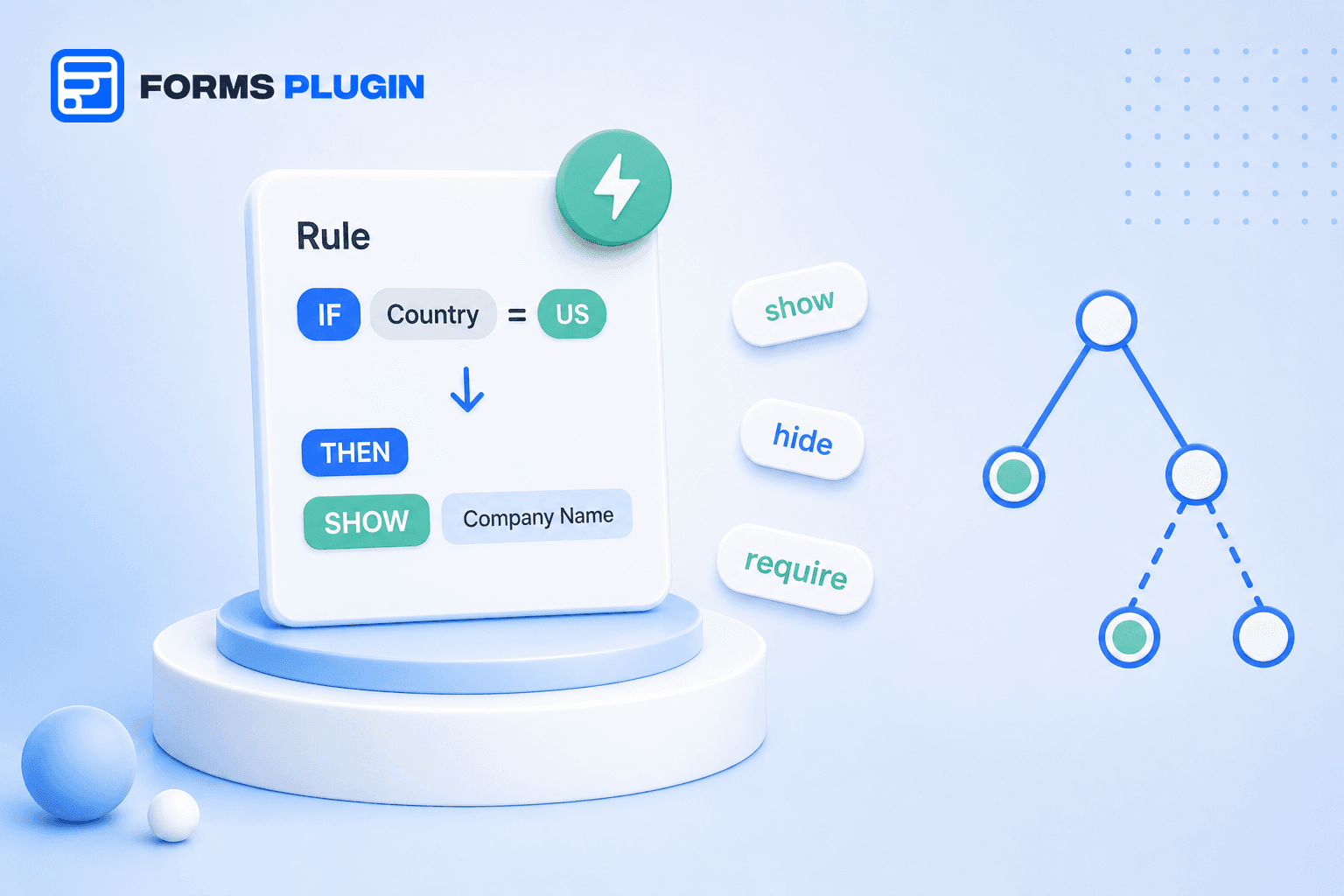
Conditional logic is a rule that changes how a field behaves based on the value of another field. Instead of a static form where every question is visible to everyone, a conditional rule can show, hide, require, disable, or reset a field depending on what a visitor already entered elsewhere in the same form.
The classic example: a "company name" field that only appears if someone checks "I'm inquiring on behalf of a business." Everyone else never sees it, which keeps the form shorter and more relevant for the people filling it out.
Why don't native Framer forms support conditional logic?
Framer's own form component handles standard field types well, text, email, phone, date, and a handful of others, submitted to email, Google Sheets, or a webhook. But it treats every field as static: what a visitor sees is fixed at design time and doesn't change based on their answers.
This is a known limitation, not an edge case. It's exactly the gap that pushes designers toward a forms plugin once a project needs a form with more than a handful of fields or any kind of branching logic.
What actions can a conditional rule trigger?
Forms Plugin's conditional logic supports five actions on any field:
- Show/Hide toggles a field's visibility based on the condition
- Required makes a field mandatory only when the condition is true
- Read-Only sets a field to read-only when the condition matches
- Disable disables the field so a visitor can't interact with it at all
- Value Reset clears a field's value automatically when the condition triggers
These actions work on all 30+ field types in Forms Plugin, so a text field, a dropdown, a date picker, and a rating field can all be conditionally controlled the same way.
How does conditional logic compare to Framer's native form?
| Native Framer form | Forms Plugin conditional logic | |
|---|---|---|
| Fields visible to all visitors | Always | Only when rules say so |
| Show/Hide based on other answers | No | Yes |
| Required based on a condition | No | Yes |
| Disable or reset a field automatically | No | Yes |
| Works across multi-step forms | No native multi-step support | Yes, including page jumps |
| Cost | Included with Framer | Free, built into every field |
The last row is the one worth sitting with. Conditional logic in Forms Plugin isn't a separate feature you unlock with a plan, it's built directly into each field. Use it for free on any of Basic's own field types. Want to use it on a paid, advanced field type, file upload, e-signature, or another Pro/Scale field, you need the plan that unlocks that specific field, the conditional logic itself doesn't cost extra on top of that.
What conditions can trigger a rule?
The available operators depend on the field type being checked. Text fields support Is Empty, Is Not Empty, Contains, Not Contains, exact match (case sensitive or not), Starts With, Ends With, length comparisons, and full regex matching for advanced patterns. Number fields support equal to, not equal to, greater than, less than, and range checks. Date fields support before, after, and exact date matching, plus is-empty checks.
That range of operators is what makes conditional logic useful for more than simple yes/no branching. A number field can trigger a rule when a quantity exceeds a threshold, "show a bulk-discount note when quantity is greater than 50." A date field can gate a later step, "require a rush-fee acknowledgment when the requested date is less than 7 days out." A text field can catch a specific pattern with a regex rule rather than an exact match.
How do you combine multiple conditions?
Rules combine with AND/OR logic for compound scenarios. AND requires every condition in the group to be true before the action triggers, OR requires just one. That's the difference between "show this field only if the visitor is in the US and ordering more than 10 units" (AND) versus "flag this submission if it's from a free-tier account or has been open for over a week" (OR).
To set one up: select the target field, open its Conditions panel, add a rule specifying the source field, its type, an operator, and a value, then save. Conditions evaluate in real time as a visitor fills out the form, so a field can appear or disappear the moment they answer the triggering question, no page refresh or step change required.
How does conditional logic work across multi-step forms?
Forms Plugin's conditional logic is multi-step aware, working across steps in a multi-step form including conditional page jumps, skipping a visitor past a step entirely if their earlier answers make it irrelevant. Our multi-step design patterns post covers how to structure steps well before layering conditional rules on top.
This combination is where conditional logic earns its keep the most. A 4-step intake form can drop from 4 steps to 2 for a visitor whose early answers rule out the later ones, instead of forcing everyone through every step regardless of relevance.
Practical examples: show, hide, require, and disable in action
Show/Hide: Hide a "company name" and "job title" pair of fields unless a checkbox for "I'm inquiring as a business" is checked. Most consumer inquiries never see either field.
Require: Make a "reason for cancellation" text field required only when a dropdown is set to "Cancel," leaving it optional for every other selection in that dropdown.
Disable: Disable a promo code field once a valid code has already been applied, preventing someone from stacking a second code into the same field. Unlike Read-Only, a disabled field can't be interacted with at all.
Read-Only: Lock a "referral code" field as read-only once it's been pre-filled from a URL parameter, so the value stays visible for confirmation without a visitor accidentally editing it.
Value Reset: Reset a "state/province" dropdown automatically whenever the "country" field changes, so a visitor never submits a state that doesn't belong to the country they just selected.
Regex matching: Validate a text field against a specific pattern, for example requiring a project code that follows a fixed format, and trigger a "required" or "show" action only once the pattern matches, catching malformed entries before submission rather than after.
Each of these is a small detail on its own, but stacked across a real form they're the difference between a form that feels considerate of the visitor's time and one that makes everyone wade through fields that don't apply to them.
Building this with Forms Plugin
Conditional logic is built into every field in Forms Plugin rather than gated behind a specific plan. It works for free on Basic's own field types. To use it on a paid, advanced field type, file upload, e-signature, or another field that ships on Pro or Scale, you need the plan that unlocks that field, not an additional upgrade for the logic itself. Check the features page for the full field library, or the pricing page to see which fields are on which plan.
Frequently asked questions
Does conditional logic slow down form submission?
No. Conditions evaluate client-side in real time as someone fills out the form, there's no added delay at submission.
Can conditional logic reference a field from an earlier step in a multi-step form?
Yes, Forms Plugin's conditional logic works across steps, so a rule can react to an answer given several steps earlier, including skipping entire steps that no longer apply.
Is conditional logic only for showing and hiding fields?
No. Beyond show and hide, it also supports making a field required, read-only, disabled, or automatically reset based on a condition, five distinct actions in total.
Do I need a paid plan to use conditional logic?
Not necessarily. Conditional logic is built into every field rather than sold as its own add-on, so it's free to use on any of Basic's own field types. You only need Pro or Scale if you want to apply it to one of the paid, advanced field types those plans unlock, and that's really a field-access upgrade, not a conditional-logic upgrade.
How many conditional rules can one field have?
The documentation doesn't state a hard cap, and rules can be combined with AND/OR logic for compound conditions, so most real-world scenarios are covered without needing dozens of separate rules stacked on a single field.
Bottom line
Conditional logic turns a static form into one that adapts to what a visitor has already told you, which keeps forms shorter for the people filling them out and cleaner for whoever reads the submissions. Framer's native form doesn't have it, and in Forms Plugin it's built into every field rather than sold as its own upgrade, free on Basic's fields, and included the moment you unlock a paid field type on Pro or Scale. Start with the conditional logic page to see the full rule builder, then pair it with multi-step forms once a form is complex enough to benefit from both.
Ready to build smarter Framer forms?
Forms Plugin gives you everything covered in this article - natively, inside Framer.
Get Forms Plugin


 Get this Plugin