Best Form Builder for Framer in 2026 (Real Comparison)
In 2026, the best form builder for Framer depends on your workflow, but serious projects usually require advanced, native-feeling tools beyond Framer’s basic forms.
10
min

Introduction: Why “Best Form Builder For Framer” Actually Depends On How You Work
Picking the best form builder for Framer in 2026 feels a bit like choosing a camera. Any phone camera can grab a quick snapshot. But once real clients, campaigns, and growth targets enter the picture, tiny details start to matter a lot. The same thing happens when moving from simple Framer forms to serious funnels and client projects. That is where the search for the best form builder for Framer really begins.
Framer’s native forms are great for a quick Contact Us panel or a basic newsletter box. You can drag a few inputs, wire an email, and ship. But as soon as you need:
A multi-step onboarding flow
A quote calculator
A form with file uploads and lead scoring
those native blocks hit their limits. No multi-step pages, no conditional logic, no file upload fields, and very shallow analytics mean you either start hacking around these gaps or reach for something more serious.
By now, the Framer ecosystem has settled into two clear patterns:
Tools that live outside Framer as full SaaS form builders that you embed using a plugin
Framer-native plugins that let you stay on the canvas and treat forms like any other component
Both approaches work, but they serve very different workflows, budgets, and teams.
In this guide, we will walk through the criteria that actually matter in 2026—things like multi-step UX, file uploads, conditional logic, data integrations, spam protection, analytics, and pricing. We will compare the main players honestly and show where FormsPlugin, the only advanced form plugin built exclusively for Framer, fits in that picture. By the end, you will be able to match the right tool to real use cases, whether that is a founder’s lead-gen funnel, an agency’s client intake form, or a designer’s portfolio site.
“Forms are where strangers become leads, customers, or clients. The smallest friction can cost you the biggest opportunities.”
Key Takeaways
Native Framer forms are fine for simple contact or newsletter forms, but they struggle fast with multi-step flows, conditional logic, file uploads, and real analytics, which makes them risky for serious funnels and client work.
There are two main ways to extend forms in Framer. Framer-native plugins keep everything inside the canvas, while external builders like Tally or Weavely live elsewhere and embed through a plugin. Each suits different teams and priorities.
When you evaluate any best form builder for Framer, you should look at multi-step experiences, advanced fields, file uploads, styling control, integrations, spam protection, analytics, and pricing or licensing for solo work, agencies, and startups.
FormsPlugin stands out because it is the only advanced form plugin built exclusively for Framer, with a rich field library, multi-step logic, integrated spam protection, ready-made templates, and seamless third-party integrations, all in a no-code drag-and-drop UI.
External tools like Weavely and Tally still make sense when you care most about AI-driven setup, built-in payments, or when your stack already uses those tools across other platforms.
Agencies and startups can avoid a messy tool stack by standardizing most advanced forms on a Framer-native plugin like FormsPlugin, and then adding external tools only where payments or CRM-first workflows are absolutely required.
A good next step is to pick one mission-critical form—like a demo request or client intake—and rebuild it with FormsPlugin while keeping this comparison guide handy to confirm whether any extra tools are needed.
What Makes A “Best Form Builder For Framer” In 2026?
When you compare form tools for Framer, you are not just checking a feature checklist. You are matching a tool to how you actually work and what your projects demand. That starts with a basic choice between two architectures and then moves into deeper criteria like UX, styling, data flow, and cost.
First, decide if you want forms to live inside Framer or outside as embeds:
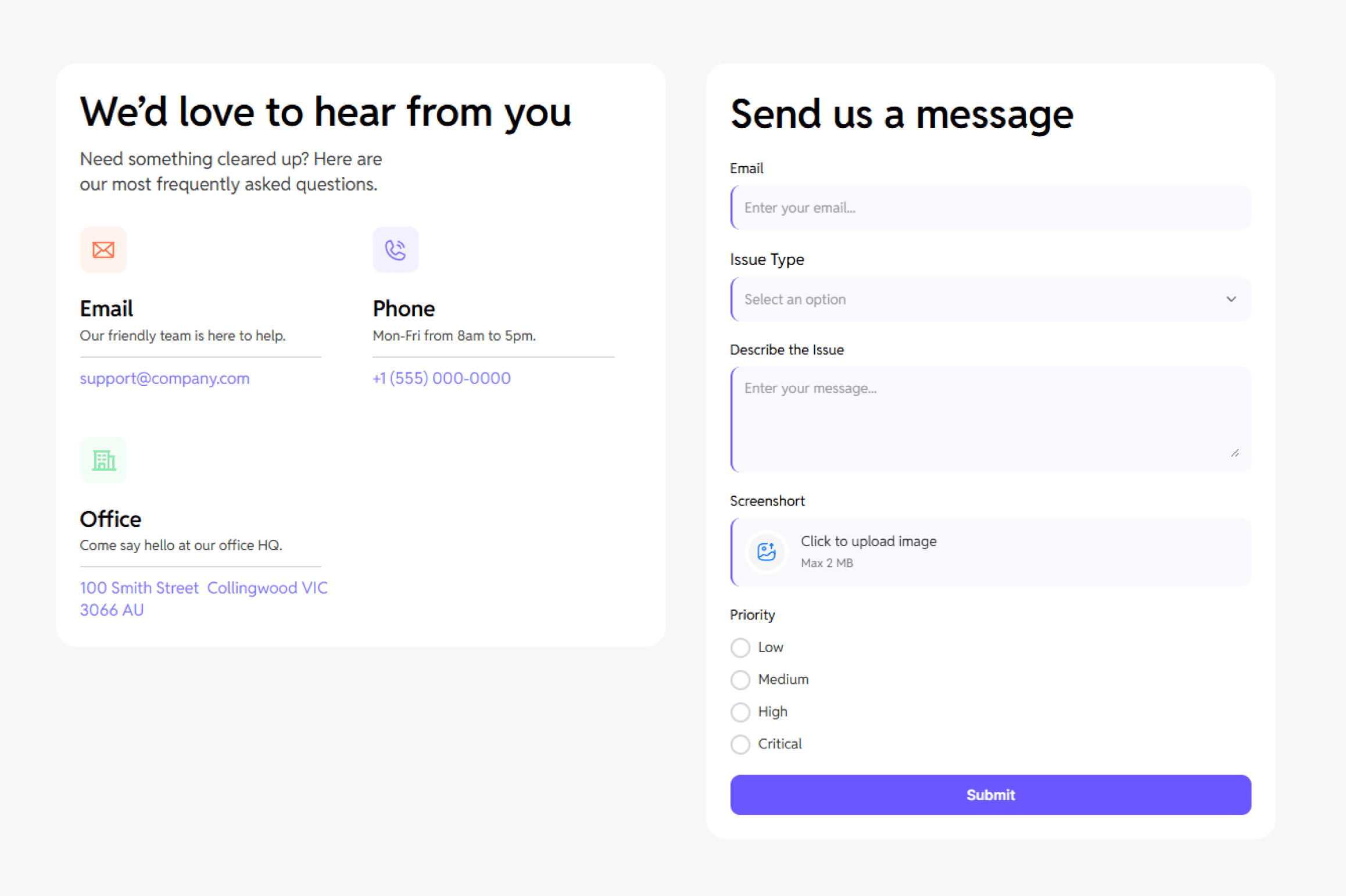
Framer-native plugins—including FormsPlugin, FramerForms, and PlumSpace—let you design and configure fields directly on the canvas. Layout, animations, and responsive behavior stay under your control, and the form feels like a natural part of the page. The trade-off is that you depend on that plugin’s update cycle.
External builders like Weavely, Tally, Makeform, or HubSpot handle forms in their own editors. Inside Framer, you typically drop a plugin, paste a URL, and get a working form. This is fast and often comes with rich integrations and payment options, but you sacrifice some pixel-level control and accept that the form is basically an embedded app.
From there, you look at form complexity and UX. For real funnels, you usually need:
Multi-step or conversational-style flows
Branching logic and long applications
Quote builders and calculators
Inline validation, progress bars, and clear error states
The best form builder for Framer makes these patterns feel as easy as a regular single-step form.
Field depth is another key criterion. If you need a Framer file upload form, budget sliders, NPS, image selects, structured phone inputs, or repeatable groups, you need a plugin or builder that handles those out of the box. The same goes for styling and branding. If your site uses a careful design system in Framer, you want forms to match that system exactly, not just approximately. Native plugins like FormsPlugin are strong here because you can style everything using Framer’s own tools.
Then you weigh integrations and data flow. You might need to:
Send leads into a CRM like HubSpot
Send rows into Google Sheets or Airtable
Use Zapier or Make to trigger automations
Hidden fields and UTM tracking help connect ad spend to actual form submissions. Analytics should show views, starts, completions, and drop-off points per field or step so you can keep improving funnels.
Spam protection, reliability, and pricing close the loop:
Clean reCAPTCHA or honeypot options
Fast rendering and stable file storage
Clear pricing that fits solo designers, agencies, and startups
When you put all of these lenses together, you can judge each tool—including FormsPlugin—against what actually matters for your Framer work.
As conversion expert Peep Laja has put it, “If you are not testing and improving your forms, you are leaving money on the table.”
Why Native Framer Forms Break Down For Serious Work
Framer’s native form block does a good job for what it was designed for. When you just need:
A short contact form
A simple newsletter signup
A basic feedback box
it gets the job done without extra plugins. You can adjust spacing, typography, and colors right on the canvas and connect basic notifications. For small personal sites, that might be all you ever need.
Things start to fall apart as soon as requirements go beyond “short and simple.”
The first big missing piece is multi-step or multi-page flows. Native Framer forms do not support breaking long forms into smaller chunks with a progress indicator, and they do not support a proper multi step form Framer experience. That alone is a problem for:
Longer lead forms
Onboarding flows
Applications and multi-stage surveys
where step-by-step UX is tied directly to conversion rates.
The next gap is conditional logic. You cannot:
Show or hide fields based on earlier answers
Skip unnecessary sections
Route users through different paths
A Framer conditional logic form is basically not possible using only native tools. This blocks advanced qualification, quote builders, or any flow where the questions should adapt to who is filling out the form.
Native Framer forms also do not support file uploads, which rules out:
Portfolios and creative briefs
RFP documents
Simple resume uploads
There is no way to build a real Framer file upload form without reaching for a plugin or external builder. Add in the lack of rich inputs—like phone fields with masking, sliders, star ratings, NPS, image selects, or country selectors—and the pattern becomes clear.
On top of that, there are Framer native forms limitations around spam protection, integrations, and analytics:
Limited anti-spam options
Awkward wiring into CRMs, Notion, Airtable, or automation stacks
Shallow analytics with little insight into where users drop off
That is why serious Framer projects—lead funnels, client onboarding, surveys, quote requests—almost always rely on a dedicated form builder, either through a native plugin or an external tool.
FormsPlugin: The Best Advanced Form Builder Built Exclusively For Framer
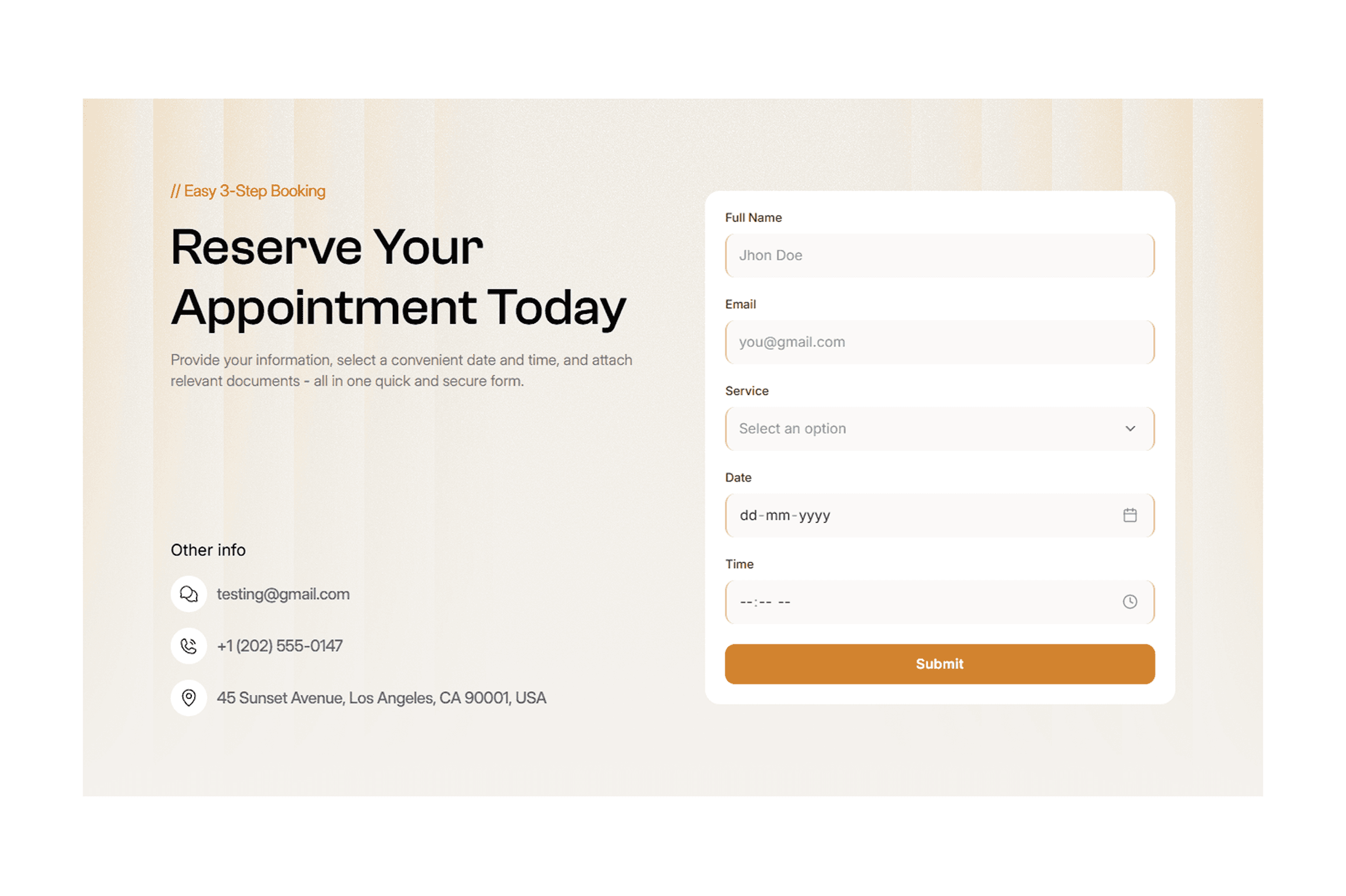
When you want advanced forms that still feel like they belong to Framer, FormsPlugin is the option to reach for first. It is not a generic form platform that just happens to offer an embed. It is built exclusively for Framer, with every feature shaped around the way designers, no-code builders, agencies, and startups already work inside the tool.
At the core, FormsPlugin gives you a complete form-building experience inside Framer:
A rich library of field types, from standard text and selects to more advanced inputs that handle structured data collection
Full control over labels, validation, error messages, and layout directly on the canvas
A workflow where the same canvas used for page design is also where you configure forms
You are not hopping between tools or fighting with iframes.
Complex flows are where FormsPlugin really shines:
Multi-step form logic is built in, so you can split long forms into clear steps that are easier to understand and finish.
You can route people between steps, build qualification flows, or create application-style funnels that feel modern and smooth.
When you need a multi step form Framer builders can manage without code, FormsPlugin covers that need directly on the canvas.
Security and data quality matter too, and FormsPlugin handles that with integrated spam protection. Instead of relying on only basic tricks, you get built-in defenses against unwanted submissions, so your inbox and CRMs do not fill with noise.
You also get ready-made templates that cover common patterns such as:
Lead generation
Client intake
Surveys and feedback
Event registrations
These templates save a lot of time for solo builders and agencies.
Because FormsPlugin offers seamless third-party integrations, you can send submissions straight into your preferred tools without writing custom code. Hooking up Google Sheets, Notion, Airtable, or automation platforms becomes a few clicks instead of a mini engineering project.
FormsPlugin also respects responsive design. Forms built with it behave correctly on desktop, tablet, and mobile, using the same responsive logic you already trust in Framer.
For Framer designers and no-code builders, this all means you stay inside one environment and still get advanced forms. For freelancers and agencies, it means you have a consistent Framer form plugin you can rely on across multiple client sites. For startup founders, it means you can run serious lead gen, data collection, and onboarding without bringing in an engineer just for form logic.
In short, FormsPlugin takes the main Framer native forms limitations—no multi-step, no logic, no file uploads, weak integrations—and turns them into strengths, while still keeping everything no-code and visually driven.
“The closer your tools sit to your design environment, the more consistent and maintainable your projects become.”
Honest Comparison: Top Framer Form Builders You Should Actually Consider
To make a fair call on the best form builder for Framer, it helps to see the main tools side by side. Here is a quick overview before we break them down.
Tool | Native vs Embedded | Multi-Step | Conditional Logic | File Uploads | Integrations Focus | Best For |
|---|---|---|---|---|---|---|
FormsPlugin | Framer-native | Yes | Yes | Yes | Modern stacks, automations | Designers, agencies, startups on Framer |
FramerForms | Framer-native | Yes | Yes | Yes (Pro+) | Wide range, strong tracking | Pro Framer users, agencies |
PlumSpace | Framer-native | Yes | Basic | Yes | Standard data capture | Simple multi-page and contact forms |
Weavely | Embedded | Yes | Yes | Yes | AI-driven, HubSpot, Sheets | AI-first surveys and complex flows |
Tally | Embedded | Yes | Yes | Yes | Payments, broad SaaS | Payment forms, cross-platform usage |
Makeform | Embedded | Yes | Yes | Yes | AI, analytics | Experiment-focused teams |
HubSpot | Embedded | Yes | Limited | Yes | CRM-native | Teams already working in HubSpot CRM |
You can treat FormsPlugin as the anchor, because it is the only advanced plugin built purely for Framer. It is best when you want advanced forms that sit fully inside Framer—multi-step flows, conditional logic, rich fields, integrated spam protection, templates, and advanced forms in Framer that connect to modern stacks, all through a no-code drag-and-drop interface.
FramerForms is another strong native plugin. It offers:
Multi-step flows and conditional logic
File uploads
A large set of “supercharged” fields
UTM tracking and analytics
Lifetime licenses make it attractive for heavy Framer users and agencies. You might prefer it if you already own a license or want its specific analytics setup, but it does not have a free tier, and its deeper configuration can feel heavier if your needs are simpler.
PlumSpace Form Builder focuses on simplicity. It offers:
A clean, drag-and-drop interface
Support for multi-page flows
File uploads and custom fields
For standard contact, registration, and straightforward survey-style forms, it can be enough, though it does not push as far into complex logic, analytics, or integration depth as more advanced tools.
External tools work differently:
Weavely is AI-first and embedded. You build in its editor, let AI propose fields and logic, then use the plugin to embed the form in Framer by link. It offers multi-step flows, conditional logic, file uploads, and strong integrations, with a generous free plan. You trade away native layout control but gain speed and AI help, which can be helpful for quick surveys or experiments.
Tally is another embedded favorite, especially when you care about payments. It supports multi-step flows, logic, file uploads, and many integrations, plus built-in payment collection through services like Stripe. If you need to charge for registrations or simple digital purchases right in the form, Tally is hard to ignore, even though it lives outside Framer’s layout system.
Makeform is an AI-enabled builder with advanced features and analytics but has reported reliability issues when forms get complex. It works better as a sandbox for experimentation rather than a stable backbone for client sites.
HubSpot Forms live inside HubSpot CRM and embed into Framer via plugin. They shine when you want leads to go straight into pipelines and rely on HubSpot’s analytics and automation, even if the pure design and UX side feels less flexible than a native plugin.
For most Framer-heavy workflows, the first shortlist is FormsPlugin, FramerForms, and PlumSpace. Among those, FormsPlugin is the one centered on being Framer-only, no-code, and integration-friendly, which is why it often becomes the default pick for advanced, professional-grade forms.
How To Choose The Best Form Builder For Your Framer Project (Step-By-Step)
To keep this choice practical, you can run through a simple step-by-step process for each project, instead of guessing or chasing features randomly.
Step 1: Clarify The Main Goal Of The Form
Ask what the form needs to achieve:
Lead generation or qualification for a SaaS, agency, or startup
Client onboarding or project briefs (often with file uploads)
Surveys, feedback, and NPS
Event registrations, applications, or quote calculators
Each of these pushes you toward different features.
Step 2: Pick Between Framer-Native And Embedded
If you care deeply about pixel-perfect layouts, animations, and on-brand styling in Framer, lean toward FormsPlugin or other native plugins.
If you just need a fast form that works and are okay dropping an embed that looks “close enough,” external tools can fit.
This single choice narrows your options dramatically.
Step 3: List Must-Have Features
Write down non-negotiables:
Multi-step flows
Branching logic
Controlled Framer forms with file upload
Phone validation and masked inputs
Sliders, NPS, ratings, or other advanced fields
Integrations with CRMs, Google Sheets, Notion, or automation tools
Level of analytics (simple submissions vs. detailed drop-off insights)
Strength of spam protection for high-traffic sites
Step 4: Map That List To Tools
For Framer-native advanced needs, FormsPlugin covers a wide range:
Multi-step logic
Rich fields
Integrated spam protection
Templates
No-code integrations inside the Framer environment
If you also need direct payments inside forms, you may complement FormsPlugin with an external tool like Tally on specific flows, while keeping your main forms native.
Step 5: Consider Licensing And Long-Term Workflow
Solo Framer designers: Want low friction, a clear UI, and templates that are easy to reuse.
Agencies: Need something they can standardize across many client sites and maintain over time.
Startups: Usually start lean, but benefit from picking a form setup that scales with more complex integrations and funnels as they grow.
Step 6: Run A Quick Pilot
Pick one critical form—usually the main lead-gen or onboarding form—and build it with FormsPlugin. Compare:
Build time vs. your current approach
Ease of iteration and client feedback
Integration setup with your existing stack
This quick test often makes the decision obvious, because you can feel how well the form tool fits your normal Framer workflow.
“Don’t choose tools in theory. Prototype one real use case and let that experience guide you.”
Advanced Form Use Cases In Framer (And How A Tool Like FormsPlugin Helps)
It helps to look at specific projects where native forms fall short and see what a tool like FormsPlugin changes in practice.
1. Multi-Step SaaS Demo Request Or Trial Funnel
With native forms, you are stuck with a single long page that asks for:
Role
Company size
Use case
Technical details
That kind of long, crowded form often scares people off. With FormsPlugin, you can turn it into a multi step form Framer builders control visually:
Split the form into short steps (basic info, company, usage details)
Branch questions based on role or use case
Keep everything styled like the rest of the site
The result is a smoother experience and more completed submissions.
2. Agency Client Intake Form With File Uploads
Agencies often need to collect:
Project goals and scope
Budget ranges and timelines
Brand assets, documents, or briefs
Native forms cannot handle real uploads, which means awkward email back-and-forth or extra tools. With FormsPlugin and its field library, you can build a Framer file upload form that:
Collects structured information and multiple files in one flow
Sends everything straight into Sheets, Notion, Airtable, or another system
Stays fully styled within your Framer design
No custom code, no patchwork stack.
3. Lead Qualification With Conditional Logic
Suppose you want different paths for:
Enterprise vs. small-business leads
Different industries or use cases
With FormsPlugin, you can create a Framer conditional logic form that:
Shows only questions that match each lead type
Hides irrelevant sections
Keeps the experience short and focused
You end up with better completion rates and cleaner data for your sales team.
4. Surveys, Feedback, And NPS
Surveys and feedback forms have their own demands:
NPS (Net Promoter Score) fields
Rating scales or star ratings
Sliders for satisfaction or budgets
Native Framer inputs are too limited to capture that comfortably. A plugin built for advanced forms in Framer—like FormsPlugin—lets you add these richer fields while still keeping the form consistent with your Framer design system.
Across all of these cases, the same pattern shows up:
You stay inside Framer
You drag and drop components
You set up logic visually
You rely on built-in spam protection and responsive behavior
Complex flows stop being a small engineering project and become something a designer or no-code builder can manage directly.
Conclusion
By 2026, simple Framer forms still have their place, but most serious projects need more. Multi-step flows, conditional logic, file uploads, advanced fields, proper integrations, and useful analytics have moved from “nice to have” to “basic expectations” for client sites and growth-focused startups. Native Framer blocks are intentionally lightweight, so they do not cover these needs on their own.
That is why the best form builder for Framer can look different from project to project. External builders such as Weavely, Tally, Makeform, and HubSpot handle AI-powered setup, payments, and CRM-centric workflows very well, at the cost of feeling like embedded apps rather than native Framer components. They are valuable pieces for certain stacks, especially when forms live across many platforms.
When design control and an in-Framer workflow matter most, though, Framer-native plugins are where you should focus. In that world, FormsPlugin stands out as the only advanced form plugin built exclusively for Framer. It combines:
Rich fields
Multi-step logic
Integrated spam protection
Ready-made templates
Seamless integrations
into a no-code drag-and-drop interface that lives right inside the canvas. For Framer designers, agencies, and founders, that combination makes FormsPlugin a very strong default choice.
A practical next move is simple:
Pick one mission-critical form in your current or upcoming Framer project—a lead-gen form, a client intake, or a survey.
Rebuild it with FormsPlugin.
Test how it feels to manage the whole flow without leaving Framer, and compare the UX, build time, and integration setup to whatever you are doing now.
With that hands-on experience, plus the comparison in this guide, you can choose the form stack that fits the way you work in 2026.
FAQs
What Is The Best Form Builder For Framer In 2026?
The best form builder depends on whether you value Framer-native control or are fine with embedded external tools. For most Framer designers, agencies, and startups that need advanced, native-feeling forms, FormsPlugin is often the top choice, because it is built exclusively for Framer, offers a rich library of field types, multi-step logic, integrated spam protection, templates, and seamless integrations, all inside a no-code drag-and-drop UI.
If you care more about AI-driven setup, payments, or CRM-first flows, tools like Weavely, Tally, FramerForms, PlumSpace, or HubSpot may be better for specific use cases.
When Should I Use FormsPlugin Instead Of Native Framer Forms?
Use FormsPlugin whenever a form needs more than a basic contact or newsletter box. Reach for it if you need:
Multi-step flows
Conditional logic
File uploads
A richer set of field types
The same applies when you want stronger spam protection, better data handling, and direct integrations with other tools without writing code. If the form matters for growth or client work, FormsPlugin is usually the safer and more scalable route.
Can I Build Multi-Step Or Conditional Logic Forms In Framer Without Code?
Native Framer by itself does not support multi-step forms or conditional logic out of the box. To do this without code, you need a specialized Framer form plugin such as FormsPlugin, which gives you multi-step flows and branching logic through a visual, drag-and-drop interface on the canvas.
Other plugins like FramerForms or PlumSpace and external builders also offer multi-step forms, but each comes with different trade-offs in design control, integration style, and workflow.
How Do I Handle File Uploads In Framer Forms?
File uploads are not part of native Framer forms, so you cannot accept resumes, portfolios, briefs, or other documents with the default blocks. To handle file uploads, you need a form tool that supports them.
A Framer-native plugin like FormsPlugin or another Framer forms alternative can give you upload fields directly in Framer.
External tools such as Weavely, Tally, or PlumSpace Form Builder also support file uploads, but they embed their own UI instead of using native components.
What’s The Difference Between Using A Framer-Native Form Plugin And An Embedded External Form Builder?
A Framer-native plugin—such as FormsPlugin, FramerForms, or PlumSpace—lets you design and manage fields directly in Framer. You get full control over layout, styling, responsiveness, and animation, and the form feels like part of the page.
An external builder like Weavely, Tally, Makeform, or HubSpot lives outside Framer; you build forms in that platform and embed them via a link or plugin. This can be faster to set up and sometimes offers special perks like payments or AI, but the result is less visually integrated.
You choose based on how much you care about:
On-brand Framer design and native control
Fastest setup and alignment with your existing stack
Both options can work well—as long as they match how you build and maintain your Framer projects.