> ## Documentation Index
> Fetch the complete documentation index at: https://formsplugin.com/docs/llms.txt
> Use this file to discover all available pages before exploring further.
# Installation
> How to install Forms Plugin from the Framer Marketplace and open it in your project.
# Installation
Getting Forms Plugin into your Framer project takes less than a minute. It installs directly from the Framer Marketplace - no downloads, no accounts to create before you start.
## Step 1: Open the Framer Marketplace
In your Framer project, click the **Insert** button (the **+** icon) in the top-left toolbar to open the Insert panel, then navigate to the **Plugins** tab.
Alternatively, you can go directly to the plugin listing on the Framer website:
[**Install Forms Plugin on the Framer Marketplace**](https://www.framer.com/marketplace/plugins/forms-plugin/)
## Step 2: Install the Plugin
On the Forms Plugin listing page (or inside Framer's plugin browser), click **Install**. Framer will add Forms Plugin to your project instantly.
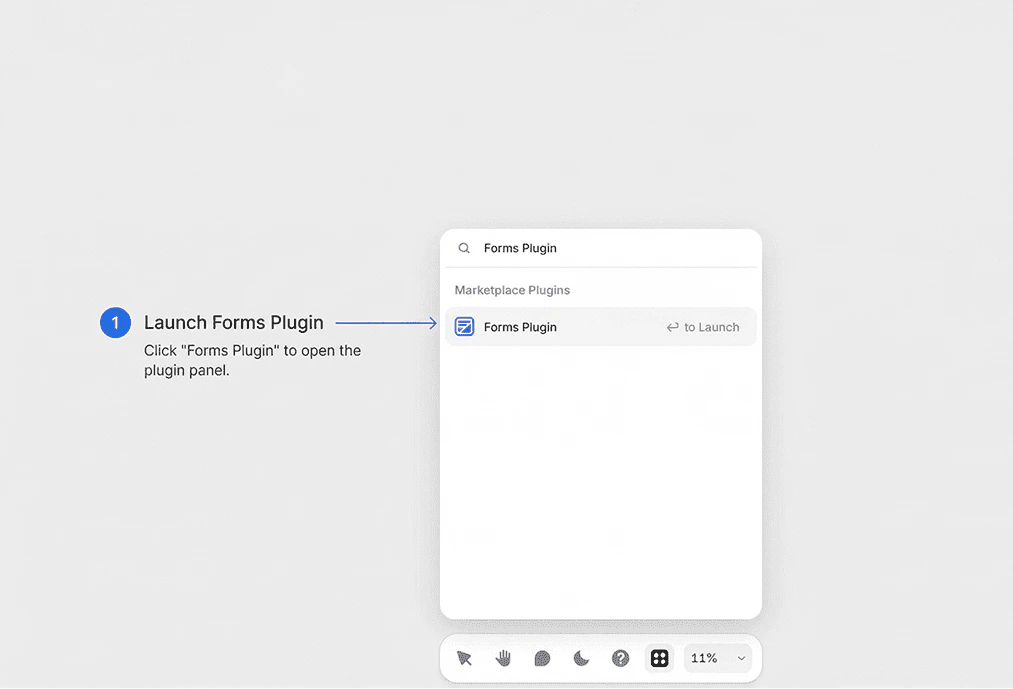 ## Step 3: Open the Plugin
Once installed, you can open Forms Plugin at any time:
1. Click the **Insert** button (**+**) in the top-left toolbar
2. Select **Plugins** from the panel
3. Find **Forms Plugin** in your installed plugins list
4. Click it to open the plugin panel
The Forms Plugin panel will appear on the right side of your Framer canvas, ready to use.
**Pinning the Plugin** - For quick access, right-click on Forms Plugin in your plugins list and select **Pin to toolbar**. This adds a shortcut directly to your Framer toolbar.
## Requirements
* An active Framer project (free or paid Framer account)
* A modern browser (Framer Web) or the Framer desktop app
**No Code Required** - Forms Plugin is designed for designers and non-developers. You do not need any coding experience to build and publish forms.
## Next Steps
Now that you have Forms Plugin installed, follow the [Quick Start guide](/getting-started/quick-start) to create your first form.
## Step 3: Open the Plugin
Once installed, you can open Forms Plugin at any time:
1. Click the **Insert** button (**+**) in the top-left toolbar
2. Select **Plugins** from the panel
3. Find **Forms Plugin** in your installed plugins list
4. Click it to open the plugin panel
The Forms Plugin panel will appear on the right side of your Framer canvas, ready to use.
**Pinning the Plugin** - For quick access, right-click on Forms Plugin in your plugins list and select **Pin to toolbar**. This adds a shortcut directly to your Framer toolbar.
## Requirements
* An active Framer project (free or paid Framer account)
* A modern browser (Framer Web) or the Framer desktop app
**No Code Required** - Forms Plugin is designed for designers and non-developers. You do not need any coding experience to build and publish forms.
## Next Steps
Now that you have Forms Plugin installed, follow the [Quick Start guide](/getting-started/quick-start) to create your first form.