> ## Documentation Index
> Fetch the complete documentation index at: https://formsplugin.com/docs/llms.txt
> Use this file to discover all available pages before exploring further.
# Authentication
> How to sign in to Forms Plugin and manage your account.
# Authentication
Some features in Forms Plugin - including templates, advanced field types, and integrations - require you to be signed in with a Forms Plugin account.
## Signing In
1. Open Forms Plugin in Framer
2. If you are not signed in, you will see a **Sign In** prompt
3. Click **Sign In** and follow the authentication flow
4. Once signed in, your account avatar appears in the top-right corner of the plugin
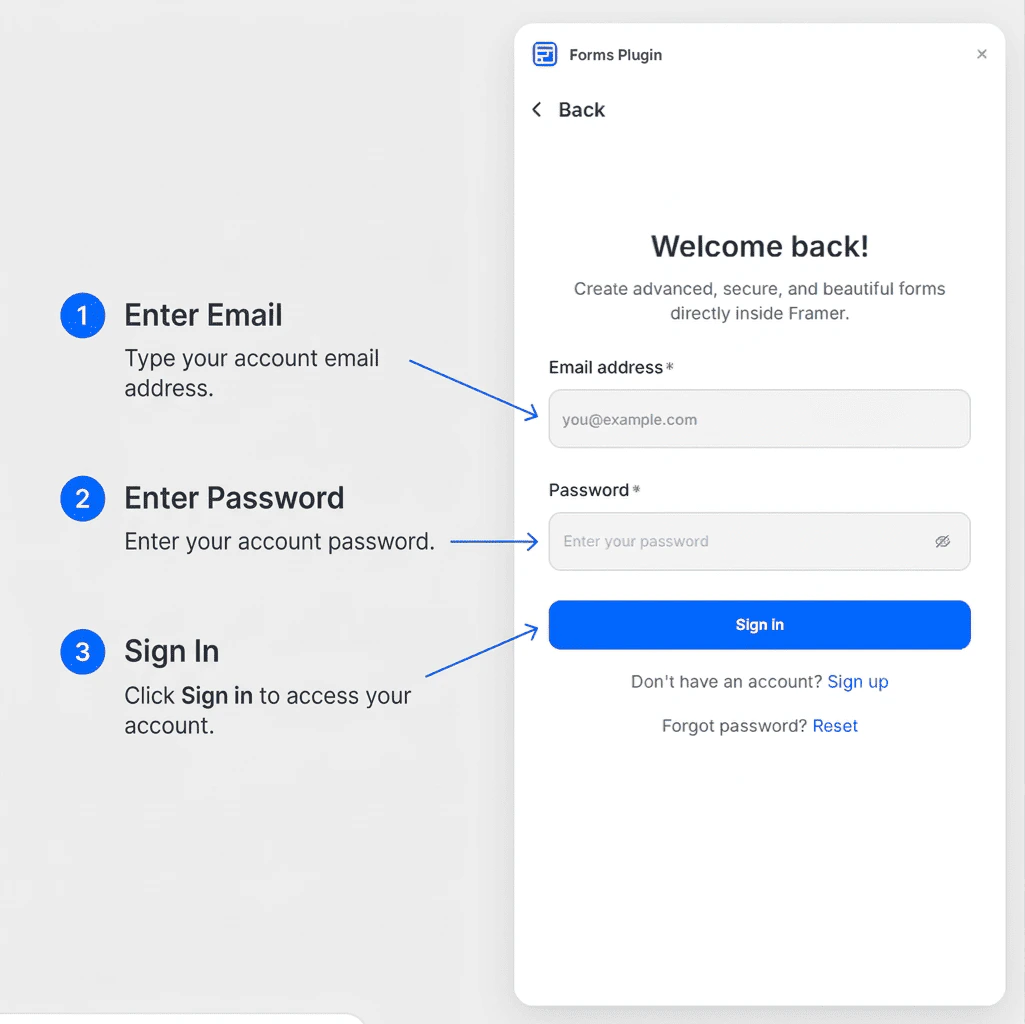 Signing in is free. A free account gives you access to Basic field types and lets you explore the template library.
## Why Sign In?
Your account links your plugin session to your Forms Plugin subscription. Signing in is required to:
* Access the **Templates** library
* Use **Advanced** and **CAPTCHA** field types (on eligible plans)
* Enable **Integrations** such as HubSpot and Brevo
* Activate a paid license key
Without signing in, you can still create simple forms with basic fields, but most features will be unavailable.
## Managing Your Account
Once signed in:
* Your **profile avatar** appears in the top-right corner of the plugin panel
* Click the avatar to access account options
* From there you can view your current plan and manage your session
## Signing Out
To sign out:
1. Click your **avatar** in the top-right corner of the plugin
2. Select **Sign Out** from the dropdown menu
You can sign back in at any time without losing your forms or settings.
## Next Steps
* [Create your first form](/getting-started/quick-start)
* [Activate a license key](/plans/activate-license)
Signing in is free. A free account gives you access to Basic field types and lets you explore the template library.
## Why Sign In?
Your account links your plugin session to your Forms Plugin subscription. Signing in is required to:
* Access the **Templates** library
* Use **Advanced** and **CAPTCHA** field types (on eligible plans)
* Enable **Integrations** such as HubSpot and Brevo
* Activate a paid license key
Without signing in, you can still create simple forms with basic fields, but most features will be unavailable.
## Managing Your Account
Once signed in:
* Your **profile avatar** appears in the top-right corner of the plugin panel
* Click the avatar to access account options
* From there you can view your current plan and manage your session
## Signing Out
To sign out:
1. Click your **avatar** in the top-right corner of the plugin
2. Select **Sign Out** from the dropdown menu
You can sign back in at any time without losing your forms or settings.
## Next Steps
* [Create your first form](/getting-started/quick-start)
* [Activate a license key](/plans/activate-license)